Coworking for Confidential Work: Privacy, Security and Quebec's Law 25
A practical Quebec guide to Law 25, confidential calls, documents, Wi-Fi, incidents and choosing a coworking setup for sensitive work.
A practical Quebec guide to Law 25, confidential calls, documents, Wi-Fi, incidents and choosing a coworking setup for sensitive work.
Coworking is not prohibited by Quebec privacy law. The amended private-sector privacy law applies because an enterprise collects, holds, uses or communicates personal information. It does not select one legal office format over another. The practical question is whether the organization can apply safeguards that are reasonable for the sensitivity, purpose, quantity, distribution and medium of the information it handles. That conclusion is an inference from the law and regulator guidance, not a coworking exemption. [1] [7] [11]
For a business that handles confidential client work, the workspace decision should follow the information and the activity:
The enterprise remains accountable for its information. A coworking agreement, a password on Wi-Fi, a VPN or a provider's marketing statement does not transfer that responsibility or certify compliance. Quebec organizations should have a privacy lead, policies and practices, an information inventory, access controls, retention rules, an incident process and proof that those controls work. [2] Federal PIPEDA rules may also apply to federally regulated businesses and to personal information that crosses provincial or national borders in commercial activity. [21]
A privacy impact assessment is not automatically required simply because a business rents coworking space. The Quebec trigger relevant to most small businesses concerns a project to acquire, develop or redesign an information system or electronic service involving personal information. An assessment is also required before communicating personal information outside Quebec or entrusting its collection, use, communication or retention to a person or body outside Quebec. [8] [11]
If a confidentiality incident occurs, record it. If it presents a risk of serious harm, notify the Commission d'accès à l'information du Québec, or CAI, and affected people diligently. Quebec's rule does not create a universal 72-hour deadline. The incident register must cover all confidentiality incidents and the CAI says its information must be kept for at least five years after the date or period when the organization learned of the incident. [11] [7] [12]
This guide is current as of October 3, 2026. It provides general information and a practical evaluation method. A lawyer, professional order, insurer, privacy specialist or client may impose requirements beyond this guide.
"Law 25" is the familiar name of the amending statute. Day-to-day duties now appear in Quebec's amended Act respecting the protection of personal information in the private sector. The official text covers accountability, governance, collection, consent, use, communication, retention, security, incidents, access and portability. [11]
The amendments arrived in stages. The dates explain why an older policy or article may describe only part of the current regime:
| Effective date | Principal changes relevant here |
|---|---|
| September 22, 2022 | Privacy-officer responsibility and confidentiality-incident duties began. |
| September 22, 2023 | The main governance, consent, transparency and privacy-impact-assessment changes took effect. |
| September 22, 2024 | The portability provisions took effect. |
The principal changes in these three stages are now in force. Article 175 of the amending statute supplies the precise commencement dates. [38] A current workplace process should be assessed against the completed regime rather than the rules that applied when the phase-in began. [8]
The office format is therefore the wrong first classification. Begin with four questions:
Quebec also protects privacy through broader civil rights. The Civil Code recognizes a right to reputation and privacy and identifies interception or use of a private communication as a possible invasion of privacy. [14] The Quebec Charter also protects privacy and separately protects professional secrecy. [15] These rules matter when a conversation is overheard or a screen is visible even if the operator never receives a database.
For most Quebec businesses, the private-sector law is the central provincial regime. Quebec's law is recognized as substantially similar to PIPEDA. [21] PIPEDA still applies to federal works, undertakings and businesses, and to personal information crossing provincial or national borders in commercial activity. More than one law can apply to the same organization or flow. [22]
Public bodies fall under Quebec's public-sector access and privacy statute. The CAI says close to 3,000 public bodies are subject to that regime. [9] A government employee or contractor should follow the responsible body's approved workplace, device, records and contracting rules rather than assume this private-enterprise guide is sufficient.
Covered health and social-services organizations now have a dedicated Quebec statute for health and social-services information. The CAI confirms that the law came into force on July 1, 2024. [36] The CAI's current scope guidance says those organizations' obligations are mainly found in that health-sector law, while the private or public regime can continue to govern other information they hold. [20] A clinic, professional or supplier should identify its status before using a general coworking checklist.
Quebec article 1 contains a limited exclusion from sections II and III for specified information concerning a person's function within an enterprise, including the person's name, title, work address, work email and work telephone number. It does not remove every fact about a professional from the law. Client communications, a case description, financial history, health information, credentials and meeting notes do not become ordinary business coordinates because one participant works for a company. [11]
PIPEDA uses a different, purpose-based exclusion. The current federal statute excludes business contact information only when it is collected, used or disclosed solely to communicate or facilitate communication with a person about their employment, business or profession. [37] Keep the provincial and federal tests separate in policies and training.
The fastest way to choose badly is to ask whether a space is "private" without defining the work. Build a short inventory before touring or buying a pass. It can be a spreadsheet, provided it is controlled and does not itself expose unnecessary personal information.
| Activity | Possible information | Common exposure in coworking | Better starting arrangement |
|---|---|---|---|
| Email, scheduling and ordinary research | Business coordinates, public material | Screen visibility, notifications, unattended device | Open or dedicated desk with screen discipline |
| Sales call without sensitive details | Contact details, commercial interests | Being overheard, names on screen | Booth or assessed room if names or pricing are sensitive |
| Legal, HR, health or financial call | Professional secrets, identity, health, discipline, account data | Intelligible speech, recording, unauthorized entry | Assessed private office or meeting room, possibly another controlled site |
| Drafting or reviewing a client file | Case facts, identifiers, evidence | Shoulder surfing, cloud sync, unattended papers | Private office, privacy filter, controlled device and storage |
| Printing or scanning | Full document contents and metadata | Wrong printer, abandoned output, retained copies | Controlled output device and immediate collection |
| In-person client meeting | Identity, presence, spoken and displayed information | Visitor visibility, hallway speech, calendar labels | Reserved room or private office with an arrival plan |
| Overnight equipment or files | Devices, tokens, original records | Theft, cleaning access, emergency access | Lockable room plus device encryption and separately arranged file controls |
| Video conference | Voice, image, screen share, participant data | Wrong attendee, weak link controls, visible background | Assessed room, configured platform and participant checks |
Quebec requires enterprises to collect only personal information that is necessary for identified purposes. [3] That rule is an operational advantage. If a client appointment can be scheduled with a name, contact method and neutral label, do not put a diagnosis, allegation, legal issue or account number in the coworking calendar. If a visitor list needs only a name and arrival time, do not add a case summary.
For each activity, record:
Do not send real client names, records or matter details to a coworking operator merely to ask whether a room is suitable. Describe the control need instead, such as "four-person meeting, no recording, controlled entry, speech check required."
The person with the highest authority in a Quebec enterprise is the privacy officer by default. The role may be delegated in writing, in whole or in part, but the highest authority remains accountable. The title and contact information of the person exercising the role must be published on the enterprise's website or otherwise made public if there is no website. [2] A solo practitioner will commonly hold the role personally.
An enterprise also needs governance practices that people can actually follow. At a minimum, the operating package for confidential coworking should identify:
The federal accountability principle leads to the same practical conclusion. The Office of the Privacy Commissioner of Canada recommends a privacy-management program with assigned responsibility, risk assessment, training, service-provider oversight and evidence that the program operates. [27] The OPC's business guide organizes PIPEDA compliance around ten fair-information principles, including accountability, limiting collection, safeguards, openness and individual access. [26]
Valid Quebec consent must meet several conditions, including being manifest, free, informed, specific, time-limited, granular and understandable. A written request for consent must be presented separately from other information. Express consent is generally required for sensitive information, subject to the law's exceptions. [4]
Workspace controls do not cure a collection that was unnecessary or a consent that was invalid. Before recording a meeting, enabling an AI transcript, photographing identification, adding a guest to an operator system or displaying a client name on a room screen, ask whether the step is necessary, disclosed and authorized. Platform defaults can activate recording, transcription, participant analytics or cloud retention. Review them before the meeting begins.
People also have access and rectification rights. Quebec's portability right is narrower than a universal export guarantee. It applies in the conditions set by law to computerized personal information collected from the person, and does not require transfer of information created or inferred from that information or obtained from third parties. The duty to provide those data in a structured, commonly used technological format does not apply when doing so raises serious practical difficulties; the underlying access right remains. Do not promise that every case note, risk score, legal opinion or mixed record can be exported automatically. [2]
Quebec's security standard is contextual. Measures must be reasonable in light of sensitivity, purpose, quantity, distribution and medium. The CAI groups useful controls across administrative, physical and technical measures and includes restricted premises, locked files, access management, encryption, secure destruction, training and an incident plan. [7]
This does not mean every organization must buy every security product. It means the decision should be explainable. A useful assessment records:
| Factor | Questions | Evidence to keep |
|---|---|---|
| Sensitivity | Could exposure affect health, finances, reputation, employment, legal rights or safety? | Classification and rationale |
| Purpose | Is this information needed for the task happening in this space? | Purpose statement and minimized fields |
| Quantity | Is one record visible, or a whole client database? | Data inventory and access scope |
| Distribution | Which staff, guests, operators, cleaners, vendors and remote participants can encounter it? | Access list and provider review |
| Medium | Is it spoken, on paper, on a screen, in a cloud service or on removable media? | Control map for each medium |
| Duration | Is exposure momentary, or will devices and files remain overnight? | Booking and retention plan |
| Consequence | What harm could realistically follow? | Risk rating and escalation decision |
The CAI's prevention checklist emphasizes collecting less, controlling access, storing information securely, training personnel and preparing for incidents. [10] Apply those controls before asking whether a particular chair is acceptable.

Marketing labels are inconsistent. "Private," "quiet," "secure," "professional" and "soundproof" can describe different facts. Inspect the exact room and operating process.
| Arrangement | Useful for | Material limits | Questions before use |
|---|---|---|---|
| Open hot desk | Public information and ordinary low-risk work | Changing neighbours, visual exposure, calls audible nearby, no assured storage | Are calls allowed? What can be seen behind and beside the screen? |
| Dedicated desk | Repeated setup and equipment continuity | Still open, no acoustic boundary, equipment may remain exposed | Who enters the area after hours? Can the screen and documents be cleared? |
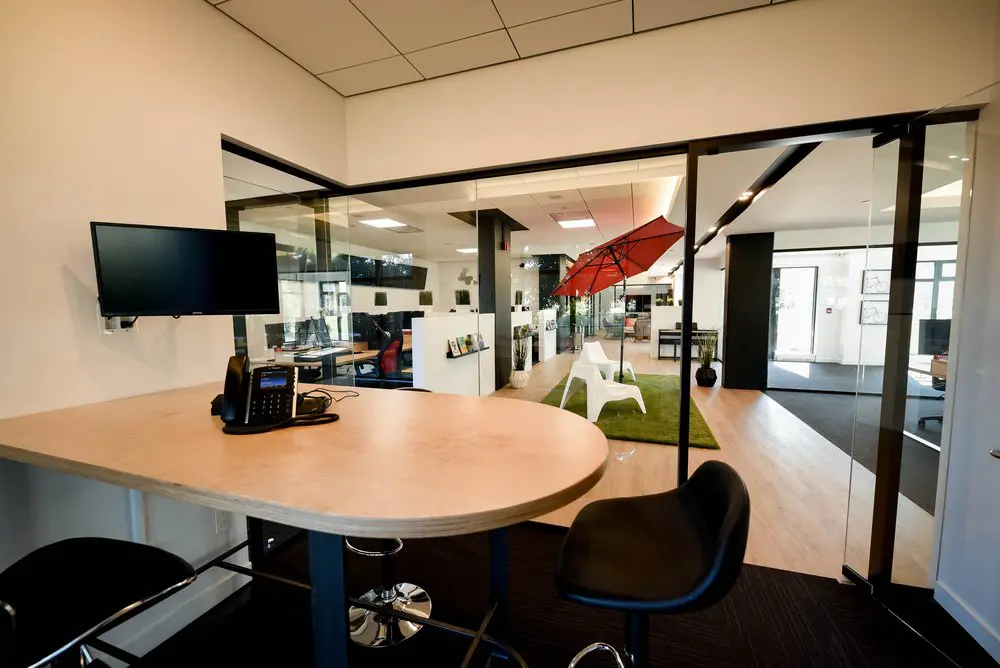
| Phone booth | Short calls with less disruption | Unknown speech isolation, availability, entry and ventilation; a booth may not suit documents or several people | Can words be understood outside? Who can enter? Is recording present? |
| Meeting room | Planned meetings and calls | Shared calendar, turnover, glass, hallway speech, service access and remote-platform risks | Is the booking title neutral? Can entry and speech be tested? |
| Private office | Repeated sensitive work and controlled client meetings | A lock does not prove sound isolation, exclusive keys, secure storage or network design | Who has access, when, and why? What happens during cleaning or emergencies? |
A closed door improves occupancy control, but it does not establish legal compliance or professional secrecy. A room can be visually private and acoustically weak. It can be acoustically acceptable while a glass wall exposes a screen. It can perform well at noon and poorly in a quiet corridor after hours.
Use the site's dedicated research instead of duplicating the full technical tests here. The private-office privacy and video-call guide explains how to test sightlines, speech and simultaneous calls. The meeting-room privacy and acoustics guide covers doors, partitions, corridors and meeting workflows. For a one-day booking, the confidential video-call workspace guide compares open desks, booths and rooms.
Before sensitive work, use representative but fictional content:
If intelligible sensitive speech reaches an uncontrolled area, stop the discussion, reduce the information, move or use another channel. Headphones prevent nearby people from hearing the remote participant. They do not stop nearby people from hearing the local speaker.
Law 25 requires reasonable safeguards, but it does not state that every coworker must use a VPN, a particular encryption product or a certified coworking network. The Canadian Centre for Cyber Security sources in this section are practical recommendations. They help build a defensible baseline, but no single tool proves legal compliance.
The Cyber Centre recommends that sensitive information not be transmitted over open networks without additional encryption controls. Its Wi-Fi guidance discusses encryption, corporate VPNs, patching and separation of guest, staff and device networks. [28] This is a reason to ask an operator precise questions. It is not evidence that any particular coworking space provides segmentation.
For shared or public-area Wi-Fi, the Cyber Centre recommends avoiding it for business where possible, using a VPN according to organizational policy, watching for shoulder surfing, disabling automatic connection, keeping devices updated and signing out when finished. [31] A mobile hotspot can reduce reliance on venue Wi-Fi, but it still needs a controlled device, strong account security and adequate signal.
Ask the operator:
If the operator cannot answer, do not invent the answer from a network name or a lock icon. Reduce the information used there or choose a connection your organization controls.
The Cyber Centre's baseline for small and medium organizations recommends encrypted mobile storage, secure remote access, network controls, backups and assessment of cloud providers. [30] Its BYOD guidance warns that poorly configured end-user devices create organizational risk and recommends policy, classification, encryption, network rules, incident handling and training. [32]
A practical device baseline for confidential coworking is:
Use strong multi-factor authentication for sensitive systems. The Cyber Centre recommends MFA for accounts and devices, with authenticator applications, security keys or smartcards preferred over weaker methods for higher-risk use. [33] Also train people to verify unexpected login prompts and requests through an independent channel. Phishing controls work better when staff know how to recognize, report and rehearse them. [34]
Video conferencing adds participant, recording, link-sharing, screen-sharing and cloud-processing risks. The Cyber Centre recommends assessing vendors, encryption, access controls, passwords, waiting rooms, software updates and the sensitivity of the discussion. It advises against using video teleconferencing for highly sensitive discussions. [29]
Before a confidential call:
Paper is easy to overlook because it does not generate a login alert. A shared printer can retain a job, release it to the wrong tray or expose pages while the sender walks across the floor. A scanner may email to a default address or store a copy. A cleaner, visitor or neighbouring member may see papers left face up.
Government security guidance on protecting specified information treats physical control of output devices, privacy screens and headphones as useful controls. [35] Use that as a practical reference, not as a claim that the same federal security profile is mandatory for every Quebec small business.
For confidential output:
Quebec requires secure destruction when information is no longer needed, subject to any retention law. Anonymization for serious and legitimate purposes is a tightly regulated alternative, not the same thing as deleting names from a document. [6] Quebec's anonymization regulation requires a documented process and analysis of reidentification risk. [13]
Federal best practices also connect retention to purpose and secure disposal, including copies, backups, moves, closures and due diligence when a destruction contractor is used. [24] A locked private office does not replace a retention schedule or a verified destruction process.
A client meeting begins before the door closes. The booking name, building entry, waiting place, greeting, room display and departure can reveal a relationship. Professional-services work may also involve interpreters, support people, witnesses or family members whose authority and role must be clear.
Use a client-arrival plan:
For a broader professional-client workflow, see the client-facing offices guide. It covers arrival, interpreters, printing, record handling and professional-order questions without treating a closed office as a compliance certificate.
Professional liability, commercial general liability, cyber coverage and property coverage answer different risks. The coworking business insurance guide provides a separate starting point. Confirm actual policy terms with the insurer or broker. Do not infer coverage from the coworking operator's insurance.
A privacy impact assessment, often called a PIA or EFVP in French materials, is a structured review of a project and its privacy risks. It is useful voluntarily in many situations, but the Quebec private-sector statute creates specific triggers.
For most small organizations considering coworking, distinguish three decisions:
| Decision | Automatic Quebec PIA trigger? | Sensible review |
|---|---|---|
| Rent a desk, room or private office | Renting alone is not listed as a trigger | Document the workspace risk and controls |
| Acquire, develop or redesign an information system or electronic service involving personal information | Yes, this is the statutory project trigger | Begin the PIA early enough to influence design |
| Communicate personal information outside Quebec, or entrust its collection, use, communication or retention to a person or body outside Quebec | An assessment is required beforehand under article 17 | Map location, sensitivity, the applicable legal regime, protections and contract |
The law requires the privacy officer to be consulted at the beginning of a qualifying system or electronic-service project. [11] Do not wait until a platform is configured and data has moved. A voluntary short assessment can still be wise when an office move changes access, printing, visitor or storage conditions, even though the lease itself is not an automatic trigger. [8]
Ask these questions for a new coworking-related system:
Quebec permits some communication to service providers without consent when communication is necessary for the mandate or service contract and the statutory conditions are met. Article 18.3 normally requires a written mandate or contract and confidentiality safeguards, with a specific exception to the safeguard-clause requirement for a recipient who is a public body covered by the public-sector access statute or a member of a professional order. The enterprise remains responsible for the information. Under article 17, assess the transfer or outsourced processing before it begins, including the applicable foreign legal regime. It may proceed only if the assessment demonstrates adequate protection, and a written agreement must reflect the assessment and any agreed risk-reduction measures. [11] [5]
Do not limit the review to the building operator. The relevant providers can include:
The OPC likewise says outsourcing does not transfer accountability. Organizations subject to PIPEDA should review third-party policies, training, safeguards and foreign processing, and explain foreign processing and potential access by foreign authorities. Contractual or other measures must provide protection comparable to PIPEDA. [26] [23]
Keep a provider record containing the service, information categories, purpose, location, authorized people, subprocessors, retention, return or deletion terms, incident route and contract owner. A list of vendors without their data flows is not enough.

A confidentiality incident involves personal information: unauthorized access, use or communication, loss, or another breach of its protection. Possible events to investigate in coworking include a laptop left in a room, a file sent to the wrong printer, an unintended recording, intelligible hallway speech, a visitor entering the wrong office, exposed credentials or an access fob that remains active after departure. An active fob or an unattended laptop is a warning sign, not automatically a confidentiality incident; determine whether personal information was lost or its protection breached. [7]
Use this response sequence:
The statute allows notice to an affected person to be delayed only while it could impede an investigation by a legally responsible crime or offence investigator. This exception does not suspend notice to the CAI. [11]
There is no general Quebec 72-hour rule in the private-sector incident provisions or regulation. [7] [12] PIPEDA has its own current breach-reporting duties, which should be assessed separately when the federal statute applies. [26]
The operator may hold useful access, booking or building information, but the enterprise should not wait for the operator to decide its legal duties. The incident plan should state who contacts the operator, who preserves evidence, who makes the legal assessment and who communicates externally.
Quebec's Professional Code requires a professional to respect the secrecy of confidential information learned in professional practice, subject to narrow lawful or client-authorized exceptions. [16] General privacy compliance therefore does not answer every question for a regulated professional.
The Barreau du Québec states that a lawyer's duty applies at all times and covers client exchanges. [17] The lawyers' code also requires confidentiality of information about a client's affairs and reasonable measures concerning collaborators and the lawyer's organization. [19] The CPA code requires reasonable measures throughout preparation, retention and transmission of confidential information. [18]
These sources directly support lawyers and CPAs. They should not be used to invent the wording of another profession's code. A physician, psychologist, notary, financial professional or other regulated practitioner should review the current rule of their own order, client contracts and insurer requirements.
For professional work, add these questions:
If the room or process cannot meet the answer, choose another environment. The correct result can be to postpone or relocate the activity.

The same coworking product can be suitable for one task and unsuitable for the next. Approval should therefore attach to a defined activity and control set, not to the member or address in the abstract. The following scenarios show how to turn the legal and practical principles into a workable decision.
A consultant who spends most of the day reading public material, preparing a generic presentation and answering routine messages may be able to use an open desk. The approved setup could require a privacy filter, hidden notification previews, an organization-managed device, MFA and a rule that client-specific calls move to an assessed booth or room.
The critical control is the transition. People often begin with an ordinary call and then receive a question that requires identity, pricing, account, legal or health details. The worker needs permission to say, "I need to move before we discuss that," and a practical place to go. If no suitable room is available, the sensitive part waits. A day pass should not create pressure to continue a confidential conversation at the desk.
A lawyer, accountant, recruiter, financial professional or adviser with repeated client calls should not build the day around uncertain booth availability. A private office may provide a better starting boundary, but the professional must still test speech, orient the screen, control paper and understand who can enter. If calls overlap with cleaning, maintenance or client arrivals, schedule and access procedures matter as much as the lock.
Write a fallback rule before the first call. For example: if speech is intelligible outside, if an unauthorized person enters, if the network method fails or if the video platform activates an unapproved feature, stop and move. This avoids making a high-pressure decision while confidential information is already being disclosed.
This meeting has at least four boundaries: the building, the room, the documents and the video platform. The organizer should use a neutral booking title, give the client controlled arrival instructions, verify every in-person and remote participant, limit the papers brought into the room and decide who owns each original at the end.
The remote participant creates a second physical environment that the coworking operator cannot assess. Ask them to confirm who is present, whether they are using headphones, whether recording or transcription is active and whether their location is suitable. Share the smallest necessary window. If the group needs to compare several files, prepare a controlled workspace rather than opening an email inbox or general client directory on screen.
A private office does not mean that every team member should have access to every client file. Apply role-based access inside the team. Keep matter names out of shared calendars when unnecessary. Decide whether calls can occur simultaneously, whether visitors can see another worker's screen and where printouts go. If people share one membership, key or account contrary to provider terms, both operational control and accountability become harder. Use individual identities and authorized access.
For a team that is choosing among plans, the hot desk, dedicated desk and private office guide explains the product trade-offs. The privacy decision in this guide should then be applied to the selected plan and exact room.
A task involving tax slips, identity documents, signed instruments, evidence or medical forms deserves its own chain of custody. Count originals on arrival and departure. Do not rely on a general promise of "storage" without confirming the exact container, keys, access list and retrieval process. If the space has no verified storage or destruction process, bring only what can remain under the responsible person's control and remove it at the end.
Scanning does not automatically solve the problem. Confirm the scanner destination, stored history, address book, local cache and deletion procedure. Review the resulting file before destroying a paper source, and do not destroy an original that must be preserved under another law, professional rule, contract or litigation hold.
Time pressure increases the chance of assumptions. A visitor should not infer that a day pass includes a private office, booth, printer procedure or staff support. Before paying, confirm the product, hours, entry method, call options and cancellation terms. Bring a connection and device setup that already meets organizational policy. Avoid making the first test of a security control during a live client call.
If the work requires a closed room for only part of the day, compare the available meeting-room product with the sensitivity and schedule. Do not use an open desk for the sensitive part merely because a private product is sold only by the day. Reschedule, reduce the information or choose another venue.
Moving from a solo laptop to a client portal, shared case system, booking workflow or AI assistant changes more than the furniture. The system project may trigger a Quebec PIA, and vendor or cross-border rules may apply. Begin with a data-flow map and privacy-officer involvement. Keep the workspace assessment as one component of the wider project rather than treating the office lock as an answer to software risks.
A useful compliance record can be concise. Keep the workspace assessment, date and assessor; the information and activity classes approved there; operator answers and applicable contract terms; speech and sightline test notes; the chosen device, network, visitor, paper and incident controls; training completion; and the next review date.
Reassess after a renovation, office move, provider change, network change, new printer, new access app, team expansion, new professional service, new client requirement or incident. Also review after a test no longer produces the same result. The aim is not to create paperwork for its own sake. It is to preserve the facts and judgment that made the decision reasonable, then update them when the facts change.
A confidential practice needs a fallback before the preferred room, connection or system fails. List the events that would stop approved work: loss of the private office, an access-app outage, an unavailable booth, a network incident, a fire alarm, a printer failure, a stolen device or unexpected people in the room. Assign a response to each event.
The fallback may be to use an approved mobile connection, move to another previously assessed room, switch to a controlled paper-free task, contact the client through a neutral message or postpone. It should not be to disclose the same information at an open desk because the reservation failed. Keep the fallback instructions accessible without exposing the client file.
Also decide how urgent work continues after a device is isolated or access is revoked. Identify the authorized backup device, recovery contact, secure copy and method for verifying the client before resuming. Test recovery with fictional information. A backup that has never been restored is an assumption, and a personal laptop borrowed during an incident may create a second uncontrolled copy.
For a planned move or cancellation, set a cutover date. Remove equipment and paper, revoke every physical and digital credential, obtain any provider confirmation required by contract, update client directions and test that the former location no longer appears in calendars or templates. Keep a neutral contact path active so a client can reach the practice without sending confidential details to an abandoned mailbox or booking account.

Ask factual questions rather than asking whether the space is "Law 25 compliant." The operator cannot decide your purposes, information sensitivity, professional secrecy or complete control environment.
Treat unanswered or unverifiable questions as uncertainty in the risk assessment. Do not convert silence into a favorable fact.
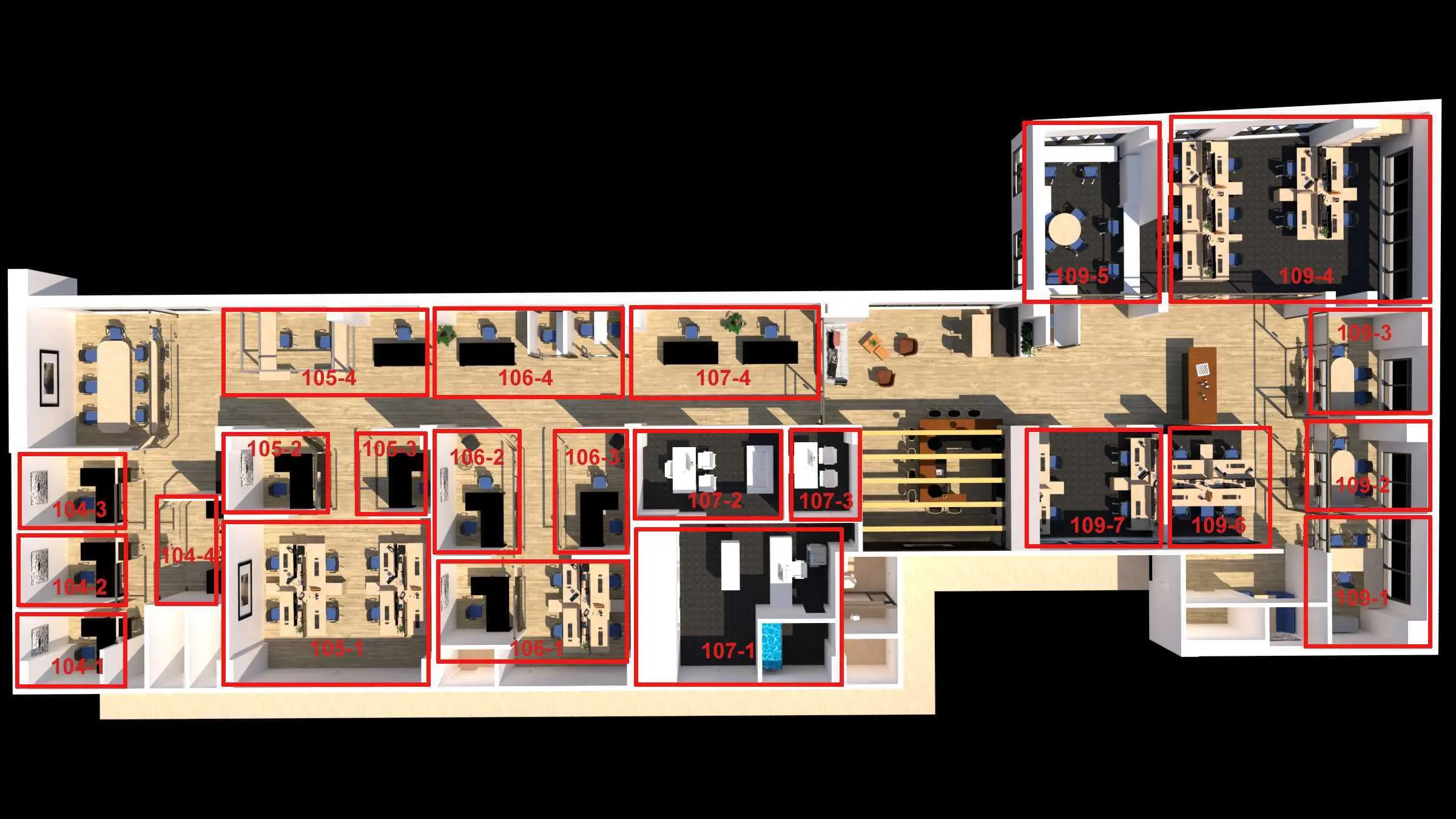
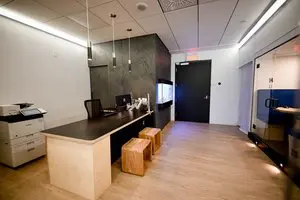
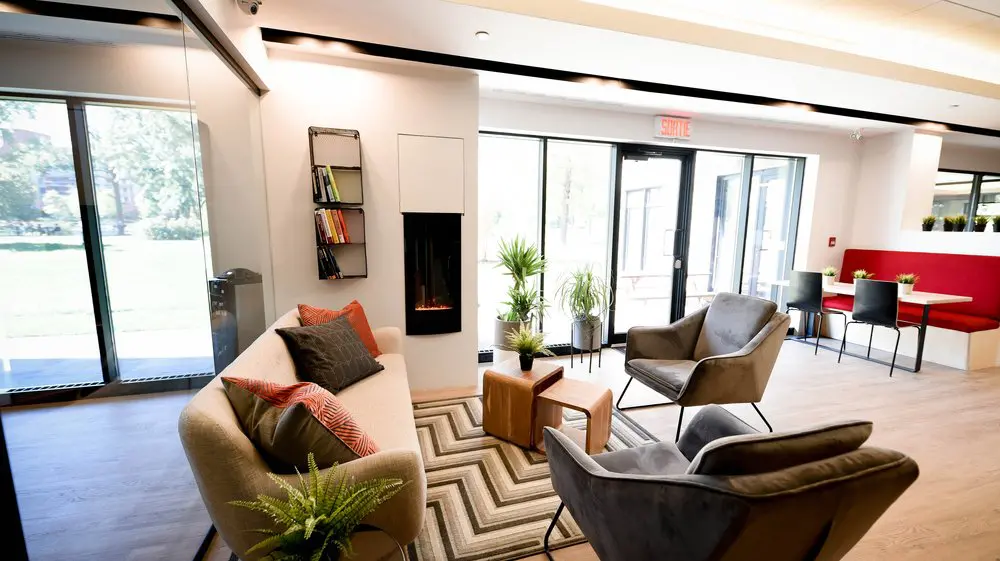
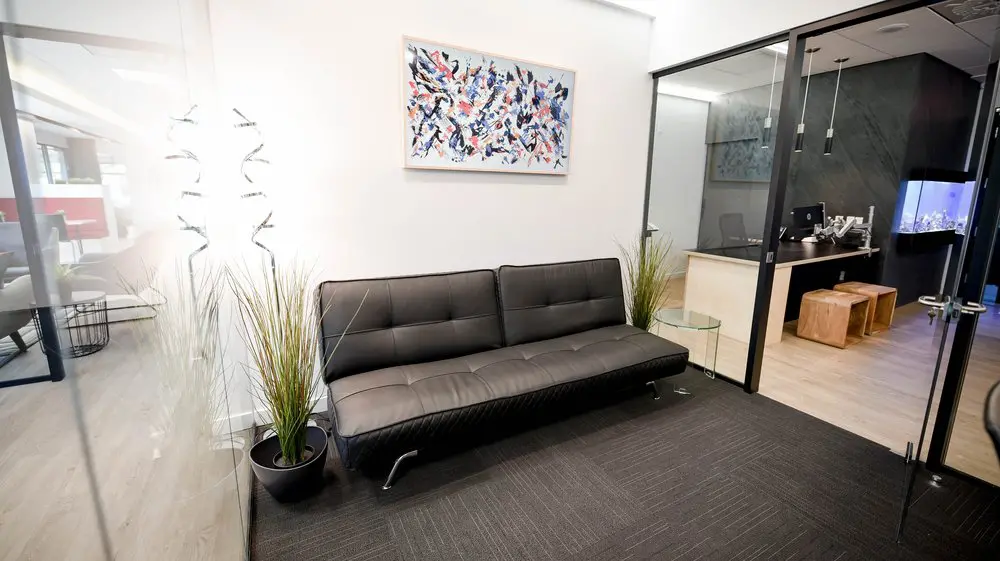
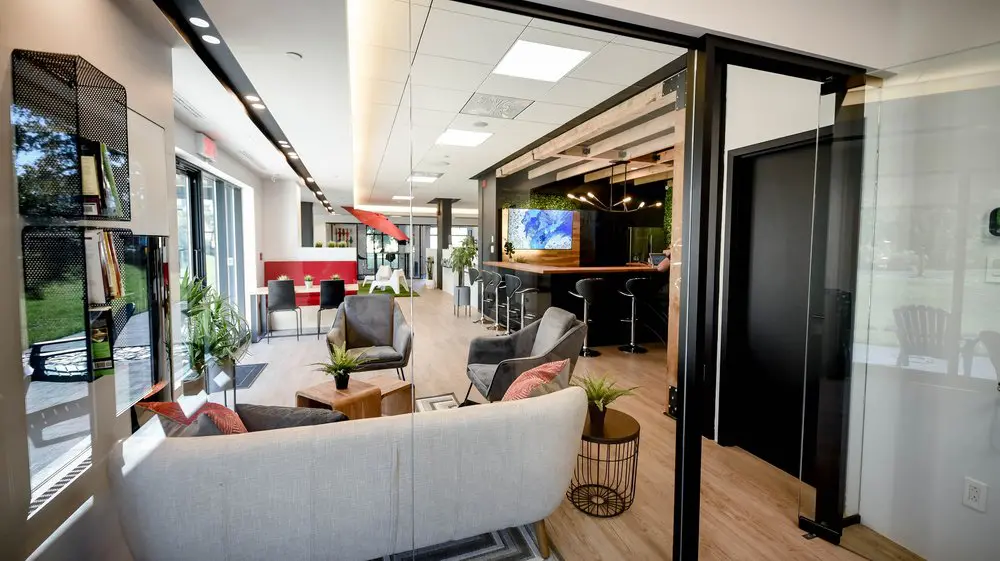
2727 Coworking is at 2727 Rue Saint-Patrick, Suite 109, in Montreal. Every private office has a lockable door and a window. Private-office and dedicated-desk members have 24/7 access through Kisi by phone app or fob. Hot desks and day passes run Monday to Friday from 8:00 to 18:00, excluding weekends and holidays. The service includes gigabit fibre internet, with wired Ethernet available in offices, printer access, phone booths available first come first served and free conference-room use for office and desk members, booked as available. These product features do not establish soundproofing, network segmentation, secure file storage, cybersecurity certification or compliance with a professional rule.
Private offices are month to month with no commitment and can be cancelled anytime. They include furniture, Wi-Fi, coffee, cleaning, printer access, phone booths and use of the address with mail reception. Private offices are priced from $700 per month before taxes, as of October 2026. Online checkout adds a setup fee equal to one month’s rent. All quoted amounts are in Canadian dollars. Inventory changes, so check the live booking page for current rates and availability.
Visitors may meet a member in the member's private office or in the conference room, not in the coworking area. There is no reception. Visitors use the intercom and the member greets them. There are no lockers or general storage. Private-office tenants must carry at least $1,000,000 in civil liability insurance. Those operational facts should be included in the organization's assessment rather than presented as privacy guarantees.
To inspect the space, book a tour. Published tours run Monday to Friday from 8:00 to 11:30, with weekday afternoons by arrangement. There are no weekend tours or walk-ins. Ask to inspect the exact office, calling location and client route that you plan to use. Current products and pricing are also described on the private-office page, day-pass and desks page and conference-room page.
No. The private-sector law regulates how an enterprise handles personal information. It does not name coworking as a prohibited office format. The enterprise must choose reasonable safeguards for its information and circumstances. Some activities may be appropriate at an open desk, while professional secrets or highly sensitive records may require a tested private room, stronger controls or another location.
The operator is responsible for its own handling of personal information. Your enterprise remains responsible for its purposes, collection, access, devices, client records, vendors, retention and incidents. A contract should allocate services and incident cooperation clearly, but it does not transfer the enterprise's statutory accountability.
Renting the space alone is not listed as an automatic trigger. A PIA is required for a qualifying project to acquire, develop or redesign an information system or electronic service involving personal information. An assessment is also required before communicating personal information outside Quebec or entrusting its collection, use, communication or retention to a person or body outside Quebec. A short voluntary workspace risk assessment is still useful. [11]
No. A lockable office improves physical control, but you must still assess sound transmission, screen visibility, authorized access, cleaning, emergencies, networks, devices, cloud services, visitors, printing, storage, retention and incidents. Compliance belongs to the full process.
Only if the information and controls make that reasonable. A dedicated desk remains in an open area. It may work for low-risk administration on a controlled device. Regular professional-secret calls, visible identity records or paper files usually point toward an assessed private room or another controlled environment.
Follow the operator's call rules and your organization's classification. An ordinary operational call may be acceptable with a headset and careful language. Move if the call involves client identity, HR, health, financial, legal, security or other confidential details. A headset does not stop others from hearing your voice.
The label alone proves neither. Test whether representative speech can be understood outside, who can enter, whether glass exposes a screen and whether a platform or device records. Use fictional content for the test. Do not use a booth for sensitive material if the result is uncertain.
It can be if the room and process match the information. Check booking labels, visitor arrival, speech, sightlines, entry, displays, paper cleanup and remote participants. A room described as private may mean exclusive occupancy, not verified acoustic isolation.
Not automatically. Quebec requires reasonable safeguards rather than naming one network design. Assess encryption, device isolation, authentication, logging, updates and the information being transmitted. Use approved additional controls or another connection when the shared service does not meet the organization's risk decision.
Law 25 does not prescribe a universal VPN requirement. A VPN is a Cyber Centre recommendation for some shared-network situations and may be required by an employer, client or security policy. It protects a data path, not a visible screen, an overheard call, a compromised device or an unsafe cloud account.
No universal certification requirement appears in the cited Quebec private-sector rules. A client contract or sector policy may require one. Ask for factual controls and independent evidence relevant to the risk, then document any gap. Do not treat a certification name as proof of every physical and operational control.
Use a shared printer only under an approved process. Confirm the destination, use tested secure release if available, collect every page immediately and arrange secure destruction for drafts. If the device stores jobs or output can be collected by others, use another method.
Only if approved storage and access conditions support it. A lockable office is not necessarily a locked file cabinet, and staff or emergency personnel may have access. 2727 provides no lockers or general storage, so ask before adding any cabinet and otherwise remove the files.
The decision belongs to the organization's risk policy and insurance terms. At minimum, use encryption, strong authentication, screen lock, controlled backups and a rapid lost-device process. Physical possession of a locked room does not protect an unencrypted device or active session.
Plan the full visit. Use neutral invitations and room labels, control waiting and greeting, avoid discussing the matter in common areas, confirm attendees and clear the room afterward. At 2727, visitors may meet in the member's office or conference room and are greeted by the member because there is no reception.
Not by itself. It changes the operating workflow. Decide how clients enter, who greets them, where they wait and what happens if they arrive early. A confidential practice should not rely on an unverified assumption that staff will receive or screen visitors.
Yes. The duty follows the professional relationship and information, not the lease. Quebec's Professional Code establishes a general secrecy duty for regulated professionals, while each profession's code and facts supply further detail. The professional should review the applicable order's current rules.
Coworking is not automatically barred, but the lawyer's continuing professional-secrecy and confidentiality duties remain. The lawyer must assess conversations, files, collaborators, vendors, access and client expectations. If privilege or secrecy cannot be protected in the proposed setup, the activity should move.
Potentially. The CPA code requires reasonable measures throughout preparation, retention and transmission of confidential information. That calls for a controlled device, suitable room, secure records process, careful printing and reviewed service providers, not simply a professional-looking address.
Keep it only as long as the purpose and applicable law require, then destroy it securely or anonymize it for serious and legitimate purposes under the prescribed conditions. A professional, tax, corporate, limitation or litigation rule may impose a longer period. Write a schedule by record class rather than keeping everything indefinitely.
Stop the disclosure, move or end the call, identify what was heard and by whom, notify the internal privacy lead and document the facts. Assess the incident and serious-harm risk, take steps to reduce harm, notify when legally required and update the room or calling process.
The cited Quebec private-sector rules require diligent notice when an incident presents a risk of serious harm. They do not state a universal 72-hour deadline. Every confidentiality incident must still be entered in the incident register, and the register information must be kept updated and retained for at least five years after the date or period when the organization learned of the incident. [11] [12]
Private offices are priced from $700 per month before taxes, as of October 2026. They are month to month with no commitment, and the online checkout adds a setup fee equal to one month's rent. Rates and inventory change. Review the live booking page and assess the exact office before using it for sensitive work.
Private-office members have 24/7 access through Kisi by phone app or fob. Visitors use the intercom and the member lets them in. Visitors may meet in the member's office or the conference room, not in the coworking area. There is no reception, so the member should plan and perform the greeting. Day-pass and hot-desk hours are different, Monday to Friday from 8:00 to 18:00, excluding weekends and holidays.
Private-office tenants must carry at least $1,000,000 in civil liability insurance. That requirement does not establish coverage for professional errors, privacy incidents, cyber events, equipment or client records. Ask an insurer or broker which policies and endorsements match the practice, contracts, equipment and information involved.
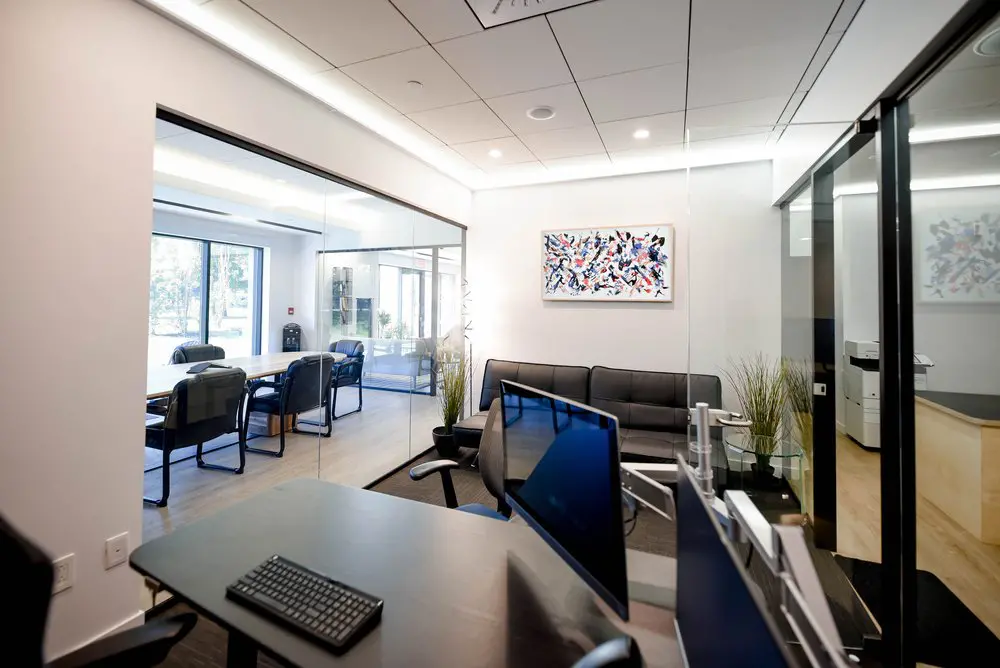
Inspect the exact office, visitor route and calling locations. Test speech and sightlines with fictional content. Ask about access, cleaning, emergencies, network design, printing and your own storage needs. Private offices have lockable doors, gigabit fibre and wired Ethernet, but those verified features do not establish soundproofing, private network segmentation, secure file storage or a cybersecurity certification. Verify any control your work requires.
No. A day pass from $55 per day before taxes, as of October 2026, is for one person in the shared hot-desk area. Day-pass users may use phone booths on a first-come, first-served basis, but the pass does not include a private office or conference-room booking. Assess the booth before a confidential call.
Wired Ethernet is available in private offices. That connection option does not by itself establish network separation, encryption or legal compliance. Confirm the controls required by your organization before transmitting confidential information.
No. Gigabit describes speed, not segmentation, authentication or protection of a call. 2727 provides gigabit fibre internet, but each organization must assess its devices, connections, accounts and information.
Office and desk members may use the conference room free, booked as available. A day pass does not include the room. Reserve it separately when a sensitive call or meeting needs a controlled room.
No. Visitors may meet a member in the member's private office or in the conference room, not in the coworking area. A second person who needs their own workspace uses a day pass or their own membership.
Yes. Every private office has a window and a lockable door. Those features do not prove acoustic isolation, secure storage or suitability for a particular professional duty, so inspect and test the exact office.
Yes. Private offices are month to month with no minimum term, and one-month or few-week stays are allowed. The setup fee equals one month's rent, so a one-month stay costs two months of rent before taxes. A month-to-month office can be cancelled anytime.
No. Memberships are for one person. A second person needs a day pass or their own plan. Keep access identities and responsibility clear in your own procedures.
It includes a TV screen with HDMI and a whiteboard. It does not include a dedicated video-conference kit. Bring and test any camera, microphone, speaker or adapter that your meeting needs.
There is no free trial. You can buy a day pass from $55 per day before taxes, as of October 2026. The paid day-pass amount is credited toward a monthly plan signed within 14 days. A day pass tests the shared hot-desk experience and phone-booth availability, not a specific private office.
Confidential coworking is a control decision, not a label. Quebec's amended private-sector law asks the enterprise to understand its information and apply safeguards that are reasonable for the risk. Professional secrecy, PIPEDA, health-sector rules, public-sector policy, contracts and insurance can add further requirements.
Choose the workspace after classifying the activity. Test the actual room. Minimize what enters calendars, devices, calls and paper. Control access, networks, accounts, printing, visitors, retention and incidents. Keep evidence of the decision and reassess it when the room, provider, system, team or information changes.
For low-risk work, an open desk may be enough. For repeated confidential calls or files, a tested private office is often the more workable starting point. For information whose exposure would cause serious harm or violate professional obligations, the correct answer may be a different controlled environment. The organization and responsible professional must make that decision from evidence.
[1] [2] [3] [4] [5] [6] [7] [8] [9] [10] [11] [12] [13] [14] [15] [16] [17] [18] [19] [20] [21] [22] [23] [24] [26] [27] [28] [29] [30] [31] [32] [33] [34] [35] [36] [37] [38]