Hot Desk vs Dedicated Desk vs Private Office in Montreal
Compare cost, privacy, access, equipment and contract terms to choose the Montreal workspace that fits how you actually work.
Compare cost, privacy, access, equipment and contract terms to choose the Montreal workspace that fits how you actually work.
A hot desk, dedicated desk and private office solve different problems. A hot desk gives one person a place in a shared area without reserving the same seat every day. A dedicated desk reserves one workstation, making a stable equipment setup possible without creating an enclosed room. A private office adds controlled space behind a door, but a door does not prove soundproofing, visual privacy, secure storage or a particular furniture standard. Inspect the exact space.
Choose by the constraints you need to remove. A hot desk suits portable work, variable attendance and a low recurring budget. A dedicated desk suits frequent attendance, repeatable equipment and workers comfortable in a shared acoustic environment. A private office suits teams, regular visitors, sensitive conversations or work that requires room-level access control. Headcount alone cannot decide. Attendance overlap, call load, equipment, privacy and client use matter more.
Compare the whole agreement, not its headline rate. Add non-refundable setup charges, meeting rooms, printing, equipment, insurance, transportation and taxes. Keep refundable deposits separate as cash tied up rather than an expense. Check notice, renewal, access hours, guest rules and plan-change terms. The move-in cost guide and notice-period guide examine those questions in depth.
Test the actual workstation and route. Canadian occupational-health guidance treats chair fit, screen position, lighting, acoustic privacy and visual privacy as separate questions [13][14][17]. A small monthly saving can disappear when the commute, paid rooms or unsuitable setup is included.
The relevant product logic is a spectrum of control. A day pass provides temporary access. A hot-desk membership provides recurring access without a fixed seat. A dedicated desk reserves one workstation. A private office reserves an enclosed room. Each step can reduce one kind of uncertainty while increasing recurring cost or commitment. The comparison therefore begins with the activity and constraint rather than a claim that one format is newer or generally better.
Hybrid work made this choice less dependent on payroll headcount. Statistics Canada reported that in February 2024, 13.5% of Canadian workers aged 15 to 69 usually worked exclusively from home and another 11.4% had a hybrid arrangement, using data that were not seasonally adjusted [10]. Those Canada-wide figures do not measure Montreal coworking demand, but they explain why attendance overlap matters. Three employees attending together need different space from three employees alternating days.
Product labels remain inconsistent. "Dedicated" can mean a bare workstation, a desk with storage, or a seat in a smaller shared room. "Private office" can mean a compact glass room or a furnished team suite. "Meeting rooms included" can mean unlimited booking subject to availability, credits, or only the right to pay for bookings. Put every promise into a written comparison.
In French, the OQLF recommends cotravail for sharing workspace and technology across independent workers or different organizations [33]. English operators use coworking. In either language, compare the defined service rather than assuming labels establish identical rights.
The contract label also needs care. Article 1851 of the Civil Code of Québec defines a lease as a contract in which a lessor provides enjoyment of property for rent, but it does not classify every coworking membership [11]. Inspect the actual rights and obligations. Article 1375 requires good faith when obligations arise, are performed or are extinguished, but it does not supply a universal cancellation period or erase a written notice clause [12].
A day pass is usually one person's access to a shared work area for one day. It is useful for testing a space, covering a home disruption, or working during a visit. It is not automatically a private day office. Ask about calls, phone booths, meeting rooms, lockers, printing and access hours. If use repeats, compare accumulated passes with a monthly plan through the day-pass comparison guide.
A hot desk is an available workstation rather than the same workstation each visit. The user normally clears it after work. Ask whether the operator guarantees some seat during access hours, requires reservations or simply operates first come, first served. Unassigned does not necessarily mean unreliable, but capacity policy matters.
For more detail on how unassigned workstations operate, see the hot-desking model article.
A dedicated desk reserves the same workstation for one member. It can reduce daily setup and may allow permitted equipment to remain. That right is contractual. Ask who enters the room, whether storage locks, what insurance applies and what happens to property after termination. A dedicated desk offers consistency without room-level privacy.
A private office provides an enclosed room and usually a lockable door. It can make team conversation and visitor control easier. It does not automatically establish soundproofing, opaque walls, ventilation, natural light or secure cabinets. The CCOHS checklist separately asks about acoustic privacy, visual privacy, equipment and storage [17]. Visit the exact room.
| Factor | Day pass | Hot desk | Dedicated desk | Private office |
|---|---|---|---|---|
| Usual unit | One person, one day | One named member | One named member plus one reserved workstation | One room with stated capacity |
| Same seat | No | Usually no | Yes | Team controls places in its room |
| Leave equipment | Usually no | Usually no | Sometimes, confirm | Usually possible, confirm risk |
| Acoustic setting | Shared | Shared | Shared | More separation, test it |
| Visual separation | Low | Low | Layout-dependent | Higher, glass and sightlines vary |
| Calls | Confirm policy | Confirm policy | Confirm policy | Easier if speech does not carry |
| Guests | Restricted | Restricted | Restricted | Often allowed in own room under rules |
| Storage | Rare | Rare | Possible | Possible, not automatically secure |
| Access | Product-specific | Product-specific | Product-specific | Product-specific |
| Best fit | Occasional use | Portable recurring work | Frequent solo work with stable setup | Teams, visitors, sensitive work |
The table generates questions rather than promises. A premium hot desk can offer longer hours than a basic office. A dedicated desk in a quiet small room can be better for calls than a glass office beside a kitchen. Observe the space and read the agreement.
Provider pages are dated snapshots, not market averages. The following advertised offers were fetched October 3, 2026. They use different units and terms, so the numbers should not be ranked without their conditions.
| Provider and product | Advertised unit | Advertised term or condition | Price shown as of October 3, 2026 |
|---|---|---|---|
| Montréal CoWork flexible desk | Per workstation | Monthly rate, before tax | From $275 per month [37] |
| Montréal CoWork dedicated desk | Per workstation | Monthly rate, before tax | From $450 per month [37] |
| Montréal CoWork private office | Per workstation | Monthly rate, before tax | From $705 per month [37] |
| WeWork Place Ville Marie one-person office | One office for one person | Based on a 12-month commitment, including promotional offers; varies by office size and availability; plus taxes and fees | From C$560 per month [38] |
These examples are not equivalent terms, do not prove availability and cannot establish a Montreal average.
The workspace-selection article, private-office comparison and Canada and U.S. pricing article provide broader context. Treat their figures according to each article's source dates and conditions.
Create a comparison sheet with provider, exact building, product definition, CAD price, access date, minimum term, access schedule, setup fee, meeting-room treatment, guest rules, equipment, storage, cancellation and taxes. Save the conditions that produce a "from" price. Mark unpublished prices as "quote required" rather than estimating.
Avoid budget, midrange and premium bands based on a few operators. A promotional annual price should not sit beside a month-to-month standard price without qualification. An unassigned business-hours membership is not the same product as an assigned 24/7 workstation. The defensible result is a set of observed offers with stated conditions.
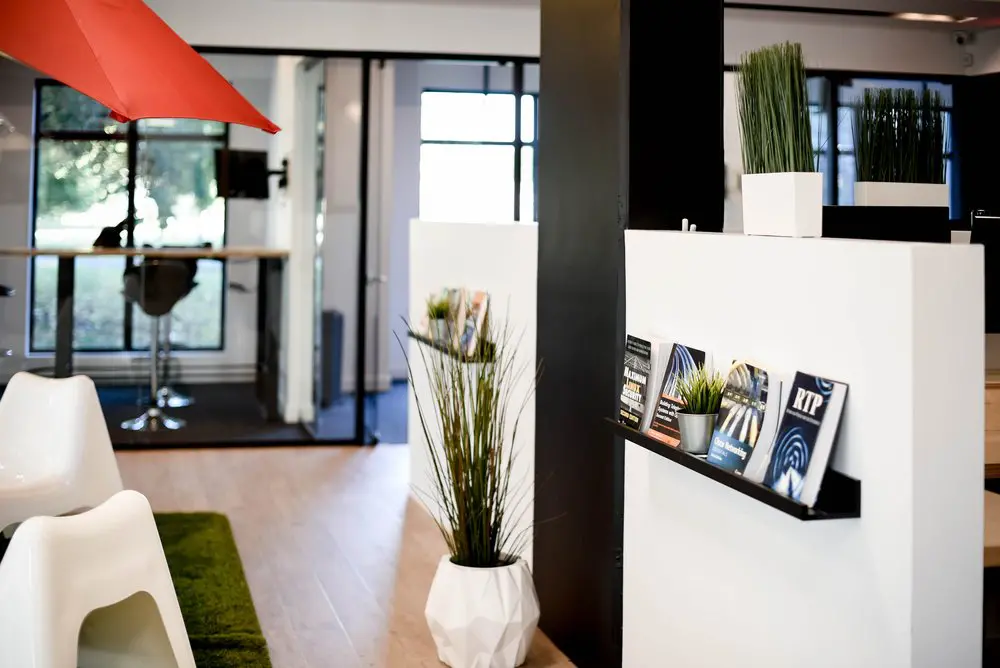
Test the commute at intended arrival and departure times. The ARTM places Montréal in Zone A and explains that All Modes fares can cover metro, REM, train and bus, while the right fare depends on origin and modes [27]. Chrono plans public, active and alternative trips and tracks buses and trains in real time [28].
| Mode | Verify |
|---|---|
| Metro | Line, transfers, hours, alternatives and elevator route |
| Bus | Stop, travel time, frequency and evening service |
| Bike | Route, storage, outdoor stands, shower need and season |
| Walk | Winter maintenance, lighting, crossings and distance |
| Car | Sign restrictions, meters, monthly spaces and snow operations |
| Mobility access | Elevators along the whole trip, entrance, doors and washrooms |
The STM identifies Charlevoix as a Green Line station served by bus 101 Saint-Patrick and lists 21 outdoor bicycle stands first come, first served [25]. That does not establish a walking time to 2727. Walk the route.
The STM's current street-level elevator list includes Atwater and Lionel-Groulx but not Charlevoix, and tells travellers to verify live elevator status across their route [26]. An accessible station also does not prove that every sidewalk and building entrance suits an individual.
Ville de Montréal says curb parking depends on restrictions displayed for the zone, day and time [29]. The Agence de mobilité durable publishes differing 2026 rates within Le Sud-Ouest and directs users to the local sign or meter, so no single rate should be attached to the building without mapping the curb segment [30]. Use the Griffintown parking guide for the full analysis.
BIXI's year-round system operates within a defined area including part of Le Sud-Ouest, while station availability changes and should be checked in the app [31]. In October 2026, the seasonal membership was advertised at $115 before tax for April 15 through November 15, with unlimited regular-bike trips up to 45 minutes [32]. This can inform a commute budget but cannot guarantee a bike or dock.
Use this formula:
Monthly operating cost = recurring workspace charge + non-refundable fees allocated across the expected stay + rooms + printing and storage + equipment and connectivity + transportation + insurance + taxes, less recoverable input tax credits or refunds when eligible.
Keep refundable deposits outside expense, though they affect cash. In Quebec, GST is 5% and QST is 9.975%, and Revenu Québec instructs businesses using a one-step calculation to use 14.975% [1][2]. Do not assume every displayed coworking rate includes tax.
Eligible registrants can generally recover GST and QST paid on commercial inputs, and office rent is an operating expense considered in that analysis [3][4]. CRA similarly lists commercial rents as potentially eligible for input tax credits, limited to commercial-activity use [7][8]. Obtain sufficient documentary evidence before claiming a credit [9]. Ask an accountant about eligibility.
CRA says business-use rent can be deductible, but a deduction is not a dollar-for-dollar refund and personal use must be excluded [5]. A qualifying home workspace can also generate deductions, subject to its own conditions, allocation and limits [6]. Compare after-tax consequences with professional advice, not assumptions.
These are assumptions, not provider quotes or market averages. Assume a day pass is $50 before tax and monthly shared access is $320. Six passes cost $300, below $320. Seven cost $350, above $320. The recurring-price crossover lies between six and seven days.
Now assume the monthly plan has a non-refundable $320 setup fee. Its first month costs $640 before tax. Twelve $50 passes cost $600 and thirteen cost $650. A one-month user reaches a different crossover from someone spreading setup over a year. Access hours, meeting-room rights and notice can still change the choice.
| Option | Assumed arithmetic | Monthly total before tax |
|---|---|---|
| Shared memberships | 3 × $320 | $960 |
| Assigned desks | 3 × $460 | $1,380 |
| Three-seat office | One room at $1,500 | $1,500 |
The assumed office costs $540 more than shared memberships and $120 more than assigned desks. The small $120 difference makes the room worth inspecting if all three people attend together. The $540 shared-space difference remains significant when attendance does not overlap. Add rooms, equipment and commitment risk before deciding.
Three numbers answer three different questions. The advertised price helps screen options. The total expense shows what the workspace consumes over a chosen period. The cash schedule shows when money leaves the bank account. A refundable deposit, for example, can increase move-in cash without becoming an expense if it is returned in full. A non-refundable setup fee is both cash and expense. Tax increases the invoice, while an eligible registrant may later recover some tax through input tax credits or refunds, subject to the applicable rules and documentation.
Build the calculation in three rows for each option:
Keep the comparison horizon constant. If one option is evaluated for three months and another for twelve, a setup charge and an annual discount will distort the result. Choose a credible expected stay, then add a shorter downside case. A business that expects twelve months but could leave after four should understand both outcomes.
The exit month deserves its own line even for month-to-month service. If 30 days' notice must align with a billing date, a late notice can create another payment. If equipment remains at a dedicated desk, include collection time and transportation. If a private office needs to be emptied, include packing, records disposal and any temporary overlap with the next location. Do not automatically count the deposit as available to fund the next move because the return may occur after the new provider requests payment.
This profile is an arithmetic example, not a provider quote. Assume one independent consultant expects six workspace days in a normal month. The assumed day pass is $50 before tax. The assumed hot-desk membership is $320 before tax. The assumed dedicated desk is $460 before tax. The assumed private office is $1,500 before tax. Assume no setup charge, deposit, room charge, transport cost or tax recovery for the first comparison, so the effect of attendance is visible.
At six days, passes cost 6 × $50, or $300 before tax. The hot desk costs $320, the dedicated desk $460 and the office $1,500. Passes win the narrow price comparison by $20 over the hot desk. The $20 difference is small enough that access reliability, booking effort or one additional day could reverse it. At seven days, passes cost $350, making the hot desk $30 less expensive. At ten days, passes cost $500, making the hot desk $180 less expensive and the dedicated desk $40 less expensive than passes.
The initial decision should therefore use a range, not a single forecast. If low attendance is four days, expected attendance is six and high attendance is ten, pass spending would be $200, $300 and $500. The hot desk stays $320 in all three cases. The member pays $120 more than passes in the low case, $20 more in the expected case and $180 less in the high case. That is the price of certainty in this simplified example.
Now add the work pattern. The consultant carries a laptop and headset, makes one routine call most days and schedules confidential calls from home. No fixed monitor is required. Under those assumptions, a dedicated desk does not solve a stated requirement. It costs $140 more than the hot desk every normal month. A private office costs $1,180 more. Both might offer benefits, but the profile has not yet identified an operational reason to buy them.
The first-month cash is $300 for six passes purchased separately or $320 for the hot desk, before tax. Normal-month cash follows actual pass use or the fixed membership. Exit cash for passes is zero once all used passes are paid, assuming no package or commitment. Exit cash for the membership depends on its notice rule. If cancellation requires one additional $320 billing period, that amount belongs in the downside case even though the plan is described as monthly.
Run a trial before choosing. Buy a pass on the busiest expected weekday. Arrive at the intended time, work from an ordinary available seat, make a routine call under the applicable rules and leave at the expected hour. Record seat availability, setup time, interruptions and total door-to-door travel. The test answers whether the apparent $20 saving at six days matters in practice.
Assume one specialist attends sixteen days per month and needs a monitor, keyboard, mouse, document stand and a repeatable chair setup. Use the same assumed prices: $50 per pass, $320 for a hot desk, $460 for a dedicated desk and $1,500 for a private office, all before tax. Assume again that variable fees are zero so product choice can be isolated.
Sixteen passes cost $800. The hot desk saves $480 per month against passes. The dedicated desk saves $340 against passes but costs $140 more than the hot desk. The decision is therefore not whether a dedicated desk is cheaper than passes. It is whether leaving permitted equipment and reducing sixteen setup and pack-down cycles is worth $140 per month compared with a hot desk.
Convert that premium into a workday amount. At sixteen attendance days, $140 is $8.75 per attended day. The specialist can now evaluate a concrete exchange: pay an assumed $8.75 per day for the same workstation and permitted equipment storage. That framing is more useful than saying that the dedicated desk is "only" $140 more, because it connects price to the activity being improved.
Test the improvement. On a hot-desk trial, time the complete setup from entering the work area to being ready for work. Repeat the test at the end of the day. Note whether the chair, monitor position and light can be adjusted sufficiently. On the dedicated-desk tour, confirm in writing which equipment may remain, whether storage locks, who else enters the area and what happens to property after cancellation. The dedicated product has value only if its rules permit the stable setup being purchased.
Suppose the specialist estimates, as an internal planning assumption, that setup and pack-down together take fifteen minutes per visit. Sixteen days would then consume four hours per month. That is not a claim about any workspace. It is a prompt to measure the actual routine. Compare the $140 premium with the measured time, equipment transport and ergonomic consistency. Do not assign a financial value to the time unless the business has a defensible internal method for doing so.
First-month cash is $320 for the hot desk or $460 for the dedicated desk before tax when there is no assumed setup charge. If a provider adds a setup charge equal to one month, first-month cash becomes $640 or $920. Normal cash returns to $320 or $460. Exit cash depends on notice, property removal and any deposit timing. A dedicated desk can require more exit work because equipment must be inventoried, packed and removed before the access credential expires.
A private office remains available in the model at $1,500, but the profile does not require continuous private speech, guest reception or room-level access. Its $1,040 premium over the dedicated desk would buy unused capacity under the stated assumptions. If the specialist begins handling frequent confidential calls, the activity map changes and the office should be retested rather than dismissed permanently.
Assume a three-person team whose members each attend three days a week. Two days overlap for all three, while the third day differs. Use the assumed monthly prices of $320 per hot-desk membership, $460 per dedicated desk and $1,500 for one private office. Assume memberships are named and cannot be shared. The monthly product totals are $960 for three hot desks, $1,380 for three dedicated desks and $1,500 for the office, before tax.
The office is $540 more than hot desks and $120 more than dedicated desks. Divide those premiums by the eight assumed all-team days in a four-week planning month. Relative to hot desks, the office premium is $67.50 per overlapping team day. Relative to dedicated desks, it is $15 per overlapping team day. These figures do not prove value. They identify the amount that the team is paying for room-level control on the days when it is most likely to matter.
The team should map its actual work on those overlap days. If everyone wears headphones and performs separate focus work, three hot desks may satisfy the need. If the team continuously discusses work, a shared open area may disrupt others and make the office more suitable. If the team needs fixed dual-monitor setups but rarely talks, dedicated desks can solve equipment consistency for $120 less than the assumed office. If clients arrive or confidential discussions happen without predictable room availability, the office can solve another constraint.
Next test peak attendance. Include a visiting contractor, candidate or client. Three members plus one visitor can exceed the useful working capacity of a room sold for three, even if the visitor stays briefly. The team should ask whether the visitor belongs in the office, a meeting room or neither, then verify the rule and room availability. A plan sized for payroll headcount alone can fail on its first interview day.
First-month cash also changes the comparison. With no setup fee or deposit, it is $960, $1,380 or $1,500 before tax. With a non-refundable setup fee equal to the first monthly charge, it becomes $1,920, $2,760 or $3,000. Normal monthly cash returns to the recurring amount. If the office has an additional refundable deposit equal to one month, first-month cash rises to $4,500 before tax in this assumed scenario, even though only $3,000 would be expense before considering tax. Keep that deposit in a separate cash column.
For exit, assume the team gives valid notice but needs one final paid month. The exit-period recurring cash remains $960, $1,380 or $1,500 before tax. The office may also require moving equipment and clearing the room. The desk options may require three equipment pickups if property is stored. If a deposit exists, show its expected return as a later positive cash entry rather than subtracting it from the final invoice without written confirmation.
The team should trial in two stages. First, have all three attend together on a representative busy day using the least committed viable product. Track call-room use, meeting-room demand, interruptions and setup. Second, tour the exact office during a comparable period and test speech leakage, temperature, circulation and equipment layout. The $120 difference between dedicated desks and the assumed office is small enough that the real test can decide. The $540 difference from hot desks requires a clearer operational benefit.
A sensitivity table shows which assumption controls the answer. Use rows for low, expected and high attendance. Use columns for workspace charge, paid meeting rooms, transport, setup allocated across the expected stay, and exit exposure. Do not hide uncertain numbers in one total. Mark them as assumptions and replace them with written quotes or observed use when available.
For a solo worker comparing $50 passes with a $320 monthly hot desk, attendance is the main variable. For a team comparing $1,380 of dedicated desks with a $1,500 office, attendance frequency changes little because both are monthly. Overlap, privacy and room demand control the choice. For a short stay, setup fees dominate. For a long commute, transportation and time can dominate a small workspace-price difference.
Use at least two time horizons. A three-month table exposes move-in and exit costs. A twelve-month table shows recurring economics. If the same choice wins both, the decision is robust. If the winner changes, the expected stay and notice mechanics need more scrutiny.
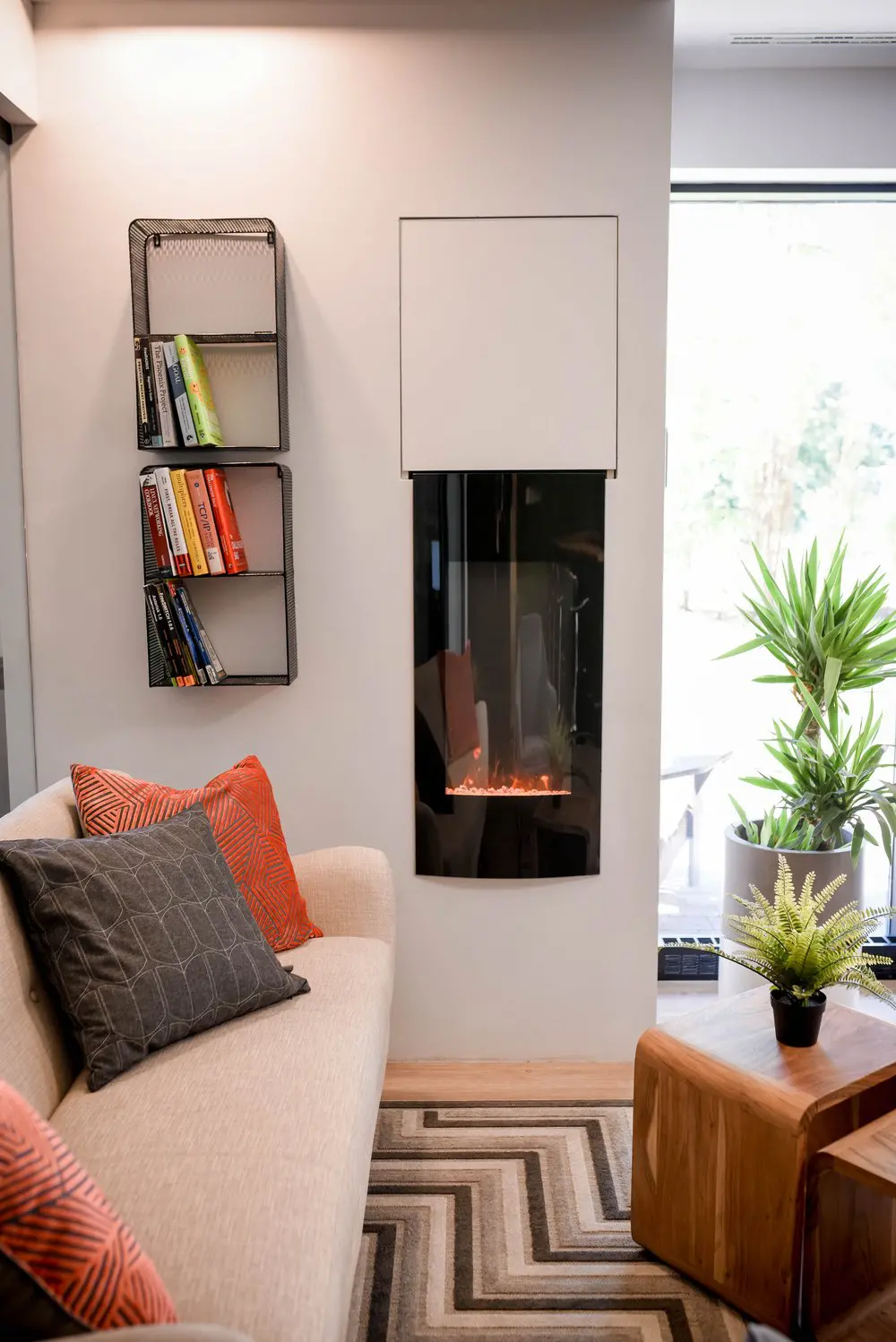
Count real attended days. A pass often suits disruption coverage or travel. A monthly hot desk becomes attractive as recurrence grows. Ask whether a pass can be credited toward membership and within what window.
A hot desk can work if daily reset is acceptable. Test several seats for chair range, light and glare. CCOHS notes that eye discomfort can be associated with poor lighting and screen glare [16].
A dedicated desk reduces setup. Confirm permission to leave equipment, insurance, power and mounting. Monitor angle and distance should adjust to the user because poor positioning contributes to discomfort and eyestrain [13].
Visit during working hours and test speech intelligibility. In offices, noise concerns include annoyance, stress and interference with communication [18]. Count phone rooms and learn whether they are bookable or first come, first served.
A private office is a strong starting candidate, but plan type alone does not satisfy privacy duties. Quebec's CAI says safeguards must be reasonable in light of sensitivity and purpose [19]. Information requires protection from collection through destruction [20]. Assess speech, screens, paper, devices and networks through the Law 25 guide.
Compare memberships with a room. Overlapping attendance and continuous discussion favour an office. Alternating attendance can favour individual desks or passes. Confirm that memberships are named and non-transferable before attempting to share one.
Ask whether rooms can be combined, when a larger office can be taken, when its rate begins, whether setup repeats and whether the old commitment continues. The small-team planning guide examines capacity in detail.
Map the visitor journey. Who answers the intercom? Where can guests wait? Are they allowed in shared space or only in a room? A private office helps only if capacity, privacy and rules support the meeting.
The employer retains relevant safety duties. CNESST says employers must ensure the required number of first aiders and adequate first-aid kits. For an establishment with 50 or fewer workers present on a shift, its table specifies one first aider; workers present for less than 30 minutes and teleworkers are excluded from that count [34]. Ask how the operator's arrangements interact with the employer's prevention plan.
Try the actual chair. CCOHS says a chair becomes ergonomic only when suited to the worker's size, workstation and tasks [24]. Test seat height, support, armrests and clearance. An ergonomic label is not proof.
Check keyboard and mouse placement. CCOHS advises keeping the keyboard directly in front, shoulders relaxed and elbows close [15]. A hot-desk user can carry a compact keyboard and riser. A dedicated desk makes a permanent setup easier.
Observe noise rather than asking if a space is quiet. Visit at representative times. Listen for calls, kitchens, doors, HVAC and street activity. Test speech leakage from the proposed office. Walls improve separation without proving soundproofing.
For digital security, ask about authentication, segmentation and ethernet. The Canadian Centre for Cyber Security advises physical awareness in shared areas and measures such as preventing shoulder surfing and using a VPN on unsecured networks [22]. Coworking Wi-Fi is not automatically insecure, but its design must be understood.
Protect devices with locks, encryption, updates and physical custody. Unattended devices in public settings can be stolen or tampered with [21]. Multi-factor authentication requires different factors and complements rather than replaces workspace controls [23].
Read access hours literally, including weekends and holidays. Around-the-clock access also calls for lone-work assessment. CNESST guidance calls for a monitoring procedure when a worker is alone at the workplace. It separately calls for two-way communication for isolated workers, or a location and status-detection system when two-way communication is not possible [35]. Do not label every after-hours worker isolated, but assess check-ins and emergency response.
Ask what the operator insures and what the member must cover. Building insurance does not automatically protect member equipment, income or liability. Consult a licensed damage-insurance representative and use the coworking insurance guide. Québec's continuity guidance identifies telework and temporary relocation as options and recommends checking insurance for assets, income and extra expenses [36].
Separate requirements from preferences. A requirement has an operational consequence if absent: step-free entry, private speech for regulated calls, employer-required wired connectivity, or access before 8:00. A view or decor can matter without being a hard constraint. For each requirement, write a verification method. "Quiet" becomes "a normal call is intelligible at 14:00 without disturbing neighbours." "Near the metro" becomes a timed door-to-door trip.
Rank every answer as contractual, published, observed or verbal. A published schedule is easier to verify than future phone-booth demand. A room observed once can sound different when full. Ask for written confirmation whenever the answer changes the purchase.
An empty morning tour cannot reveal afternoon call load. Return during the busiest expected period or buy a day pass. Work from several seats, check glare as daylight changes, visit shared facilities and observe how guests enter. For a private office, close the door and listen from both sides.
Bring the devices you will use. Connect the laptop, charger, keyboard and approved accessibility equipment. Confirm outlets and network method. Measure the surface if several displays matter. The tour checklist provides a reusable inspection format.
Three chairs do not prove that three people can work comfortably with large monitors and simultaneous calls. A compact room can suit a team that alternates days. Sketch equipment, circulation and storage. Ask whether stated capacity is a fire limit, furniture layout or recommendation.
For hybrid teams, map employees against weekdays and count simultaneous attendance. Add visitors and near-term hires. Size for a credible busy pattern, not total remote headcount or the quietest week.
A shared desk appears inexpensive until private calls require daily room bookings. Estimate hours for confidential calls, team meetings, clients and interviews. Learn whether each activity belongs in a booth, room or office, then price realistic use.
Included room use is not guaranteed availability. Ask about advance windows, cancellations, recurring bookings and duration limits. If a weekly client call cannot be reserved reliably, the inclusion has less value than the brochure implies.
The first invoice can contain setup, deposits, credentials, proration, taxes and insurance. A normal invoice contains recurring and variable charges. The final invoice depends on notice, damage, deposit return and renewal. Ask the provider to illustrate all three.
Total payments across the same horizon. A setup fee can be modest over twelve months and decisive over two. Longer-term discounts must be weighed against the cost of losing flexibility.
Identify start, billing, notice, renewal, price-review and credential-return dates. Determine whether notice uses calendar days, full billing periods or months. Confirm the accepted delivery method and recipient. A conversation may not satisfy a written-notice clause.
For plan changes, ask whether the anniversary remains, deposits transfer, setup repeats and notice restarts. A team expecting several moves should price these mechanics.
Understand phone apps, fobs, keys and intercoms. Ask how lost credentials are disabled and whether door events are logged. A lock helps only when users lock it and do not lend credentials. Confirm first-day activation, failure support and after-hours contacts. A 24/7 building does not imply 24/7 staff.
Paper-heavy work needs secure print release, shredding and controlled storage. A dedicated desk with open shelves may be unsuitable even when its computer is secured. Distinguish ordinary mail, parcels and signature items. Never infer business-address rights from workspace access.
"Furnished" should identify desk, chair and cabinets. "Internet" should distinguish wireless and wired connections. "Printing" should state allowance or price. Create columns for included, paid extra and unavailable, then put every required service into one. A blank is unresolved.
A monthly agreement reduces exposure when hiring or attendance is uncertain. A longer commitment may reduce price. Build a downside case in which the team shrinks after three months and an upside case in which it grows. Calculate payments and upgrade timing. Choose the range of outcomes the business can accept.
Use a simple calendar for four representative weeks. For each person, mark intended arrival, departure, remote days and external meetings. Then mark calls that need quiet, conversations that need privacy, client visits and equipment that must remain connected. The resulting picture is more useful than an average such as "three days per week." An average can conceal that everyone arrives on Tuesday and nobody arrives on Friday.
Count three forms of demand. Individual demand is the number of people needing a workstation. Shared-resource demand is the number needing phone booths or meeting rooms at the same time. Controlled-space demand is the number whose activity cannot safely or comfortably happen in a shared area. The highest figure in each category can occur at a different hour.
Record actual attendance after move-in with the same categories. The purpose is plan review, not employee surveillance. A monthly hot desk that seemed expensive may prove efficient if use rises. An office that seemed essential may prove oversized if collaboration days disappear. Review the record far enough ahead of the notice deadline to change the next billing period.
For a new team without historical data, build three scenarios. The low case assumes remote work remains common. The expected case uses the announced schedule. The high case includes a launch, onboarding period or deadline when more people attend. A product that survives only the low case carries capacity risk. A product sized permanently for a rare high case may waste money. Temporary passes or bookable rooms can sometimes cover peaks, but only if the agreement permits them and availability is credible.
Workspace selection often treats the commute as a location adjective: near a metro, near home, or easy to reach. Replace those descriptions with a door-to-door test. Leave at the intended time, use the intended mode, enter through the actual member entrance and reach the workstation. Repeat the trip home. Record total time, transfers, walking, waiting and any fare or parking payment.
Test the least convenient normal condition, not an exceptional disaster. A worker who plans to arrive at 8:30 should not rely on a Sunday afternoon tour. A cyclist expecting winter attendance needs a winter alternative. A driver should inspect the local signs during the hours the car will remain parked. A traveller who requires elevators should verify the whole route and live status rather than only the nearest station.
Put commute cash beside workspace cash. If one option saves $140 per month but adds a fare, parking charge or extra trip, show both numbers. Keep travel time separate unless the business has chosen a method to value it. Even without assigning dollars, a schedule can reveal that the cheaper space demands an unacceptable daily routine.
Run the route more than once when the decision carries a long commitment. One test can be unusually smooth. Two or three trials at intended hours reveal whether timing varies enough to affect punctuality or caregiving responsibilities. For a team, do not assume the founder's route represents everyone. Ask each regular user to test the finalist or provide their own route constraints.
Follow information from arrival to departure. At entry, observe whether visitors can follow members through a controlled door and how lost credentials are handled. At the workstation, sit where the user will sit and inspect screen sightlines from corridors and neighbouring desks. During a normal speaking test, ask a colleague to stand outside the proposed room and note what can be understood. The goal is evidence about the exact location, not a universal claim that one product type is secure.
Map four asset groups: spoken information, screens, paper and devices. Spoken information may require an enclosed room or a call procedure. Screens may require orientation, a privacy filter or a different seat. Paper may require secure storage, controlled printing and shredding. Devices may require encryption, locking, inventory and physical custody. A private office can help with all four while still leaving gaps if glass walls expose screens or users leave the door open.
Ask network questions in operational terms. How does a member authenticate? Are guest and member connections separated? Is wired access available at the exact place where it is needed? Who supports a connection problem after hours? Then apply the organization's own security controls. A provider answer does not replace VPN, multi-factor authentication, software updates or incident procedures.
Test the exit path too. Determine when credentials stop working, how stored files or paper are removed, who deletes a member from access systems and what happens to delivered mail after termination. Security is not complete if access and information continue after the commercial relationship ends.
List each visitor type separately: a client, interview candidate, supplier, family member, contractor or teammate without a membership. Ask where each person may wait, work, take a call and use facilities. A rule that allows a guest in a private office may still prohibit work at an empty shared desk. A meeting-room booking may solve one visit while creating a recurring cost or availability dependency.
Walk through the arrival without assuming reception. Who receives the message when the visitor reaches the door? What happens if the host is on a call? Is the visitor allowed to wait inside? Does the building require a name in advance? For a confidential client meeting, inspect the route to the room and whether conversations can be heard from outside.
Put repeated guest activity into the economic model. Count expected visits, duration and any room or guest fee. If guests regularly need a workstation, ask for the correct product instead of informally sharing a credential. The written rule matters because an improvised arrangement can fail precisely when a client arrives.
Two employees who attend on alternate days do not automatically fit one membership. The price may buy access for one named person, one credential, or one organization with a stated number of users. Ask which unit is being sold. If substitution is allowed, ask how names change, how often changes can occur and whether the operator charges a fee.
Never treat credential sharing as a harmless workaround. It can undermine access logs, emergency accountability and the operator's ability to disable one person's access. It can also breach the agreement. If the team's attendance pattern depends on sharing, obtain the arrangement in writing before comparing its price with named memberships.
For a dedicated desk, separate the reserved furniture from the authorized user. A provider may reserve the desk for one person rather than let a rotating team use it. For a private office, ask whether the price includes a defined number of users, whether occasional teammates need registration and what happens when headcount exceeds stated capacity.
Turn every contract event into a date or measurable action. Common triggers include signature, service start, credential activation, the first calendar day, a booking, a late cancellation, a plan change, renewal and notice receipt. A fee tied to one of these events should appear in the cash schedule when that event occurs.
Ask the provider to identify the trigger for each charge. Does setup apply per agreement, per person or per move? Does a room charge occur when booked or when used? Does a late cancellation return credits? Does adding a user prorate the current month? When does a higher office rate begin after a move? Written answers prevent a seemingly small operational change from becoming an unexpected invoice.
Read the invoice unit as carefully as the price. "Per workstation" can produce a different office total from "per room." A displayed monthly amount can require a twelve-month commitment. A promotional price can end before the agreement does. Copy the unit, term and date into the comparison table rather than recording only the number.
Review taxes and documentation with the bookkeeping process before purchase. The person approving the space should know which legal name belongs on the invoice, where receipts go and who reconciles variable charges. A recoverable tax amount still affects cash timing, and recovery depends on eligibility and sufficient evidence.
The first-day rehearsal begins before payment. Confirm the start date, access activation, member names, furniture, network instructions, deliveries and support contact. If a required monitor or chair is not written into the agreement, plan to bring it. A smooth tour does not prove that credentials and equipment will be ready on the contracted morning.
For the normal month, identify who approves extra bookings, who receives invoices and who checks attendance against the chosen plan. Set a review date before the notice deadline. If the team pays for an office to support overlapping work, verify that overlap is still occurring. If a solo member pays for a dedicated desk, verify that the stable setup remains useful.
For exit, work backward from the desired last day. Determine the notice delivery deadline, accepted method, property-removal date, credential return, final invoice and deposit process. Photograph or inventory member property when useful. Redirect operational communications and retrieve all records. The cheapest plan at entry can become expensive if its exit steps are missed.
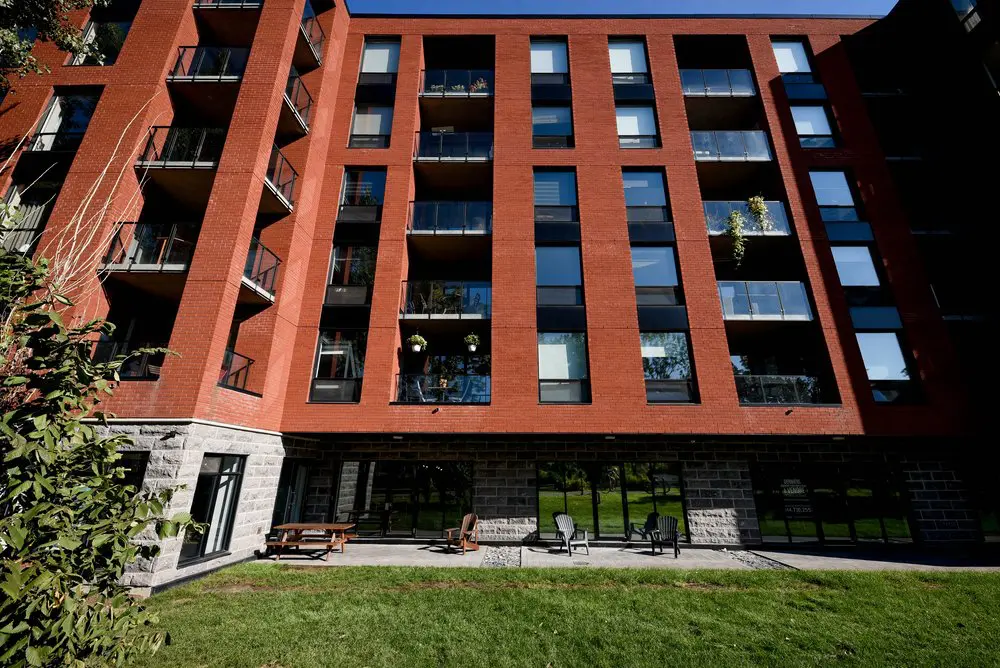
2727 is at 2727 Rue Saint-Patrick, Suite 109, Montréal, QC H3K 0A8, near the Lachine Canal, Charlevoix metro and Atwater Market. As of October 2026, prices are from $350 per month before taxes for a hot desk, $400 per month before taxes for a dedicated desk, $700 per month before taxes for a private office, and $55 before taxes for a one-person day pass. Check live prices and units at booking.2727coworking.com, since future availability is never guaranteed.
Hot desks and private offices are month-to-month with no commitment and can be cancelled anytime; dedicated desks have a 3-month minimum. Hot desks and passes run Monday to Friday, 8:00 to 18:00, excluding holidays; dedicated desks and offices have 24/7 access. Online checkout for a month-to-month private office adds a setup fee equal to one month's rent (hot desks and dedicated desks have none). A $55 day pass is credited to a monthly plan signed within 14 days; there is no free trial, part-time plan or pass pack. Some desks have monitors and members may bring equipment, but no monitor is promised at every desk. Phone booths are first come, first served. Desk and office members can book the conference room without a room charge, subject to availability. Visitors meet in that room or a member's private office, not the coworking area, and there is no reception. Private-office members must carry at least $1,000,000 in civil-liability insurance. These facts describe 2727 only and do not establish a Montreal market standard.
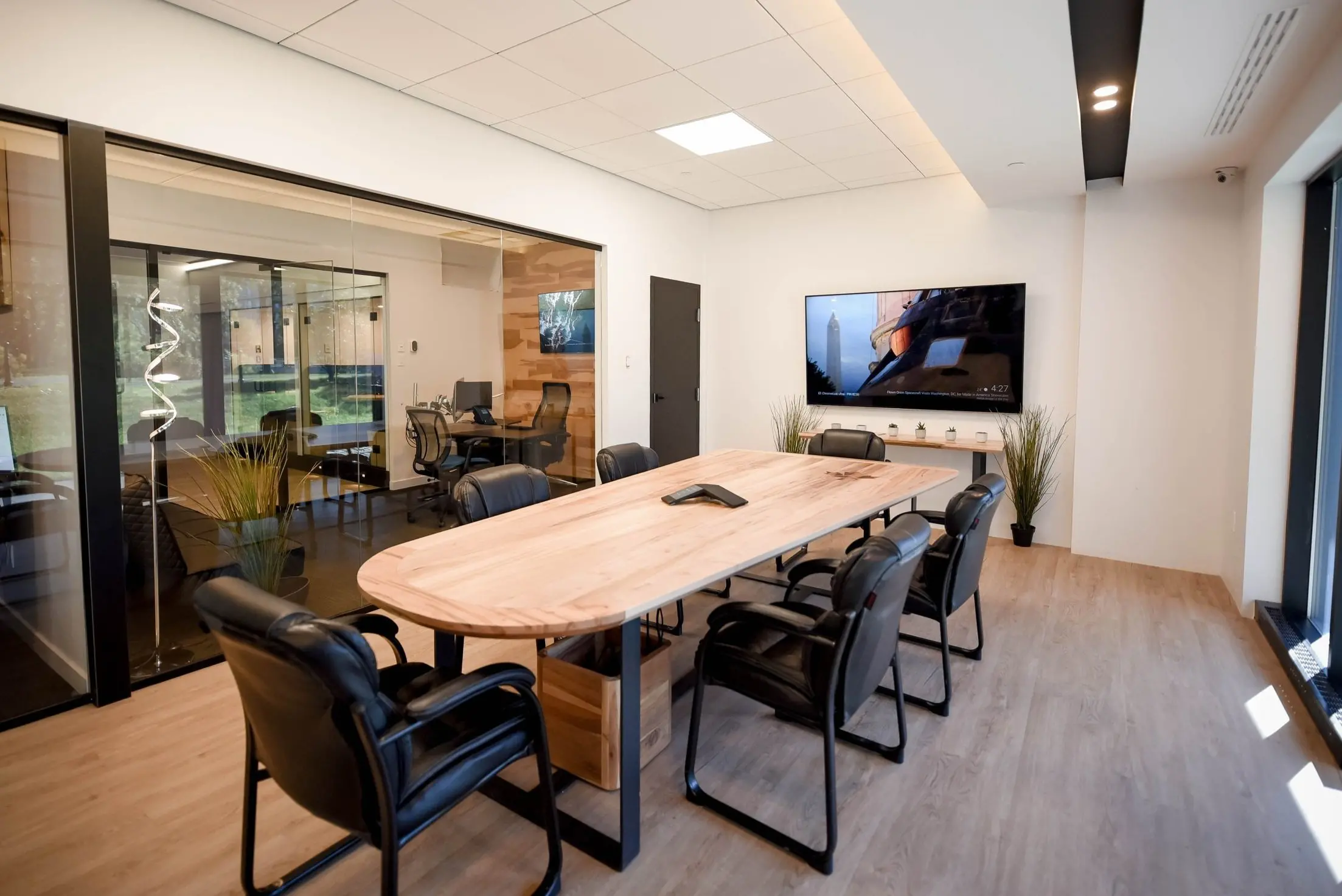
A hot desk gives a member an available workstation rather than the same one on every visit. A dedicated desk reserves one workstation for that member. The dedicated option can reduce daily setup and may permit approved equipment to remain, but it normally stays within a shared acoustic environment. Compare the written rules for storage, equipment, access and authorized users. If you work portably and tolerate resetting the chair and screen, the hot desk may be enough. If a repeatable monitor, keyboard and chair arrangement matters, test the dedicated desk.
Usually not. "Dedicated" describes who controls the workstation, not whether walls enclose it. Check who can enter the surrounding area, who sits nearby, what passersby can see and whether ordinary speech carries. An open dedicated desk can solve equipment consistency while failing a need for confidential calls or screen privacy. Inspect storage as a separate feature because an assigned surface does not make open shelving secure. If privacy is a requirement, write the specific test first and assess the actual desk against it.
No. An enclosed room creates separation, but the label does not establish acoustic performance. Speech can travel through a door, glass, ceiling gap, ventilation path or adjoining wall. Visit when neighbouring areas are occupied. Have one person speak at a normal level inside while another listens outside, then reverse the test. Include video-call speakers if they will be used. Decide what result the work requires, such as speech being audible but unintelligible, and record that requirement before touring.
The product name does not answer. Ask whether access guarantees an available seat, requires a reservation or works first come, first served. Learn what happens on the busiest day and whether some seats are restricted by time, activity or equipment. A day-pass trial during the expected peak period is more informative than an empty tour. If arriving without a seat would disrupt client work, ask for the capacity procedure in writing and compare the risk with an assigned desk.
Only if the agreement or written provider policy permits it. Confirm which items may remain, whether storage locks, who has access to the area, what insurance covers and when property must be removed after notice. Ask whether monitor arms or other attachments are allowed and who is responsible for damage. Photograph or inventory valuable equipment if appropriate. A dedicated desk is useful for a stable setup only when the permitted-use and risk rules support that setup.
No product label proves ergonomic fit. Try the actual chair, desk, screen position and input devices with the tasks you perform. Adjust seat height, back support and armrests, then check whether the keyboard and monitor can be positioned without strain. Observe glare at the hours you expect to work. A hot-desk user may need portable accessories, while a dedicated desk can preserve a repeatable setup. Treat an "ergonomic chair" description as a prompt to test rather than a conclusion.
Policies and shared-space norms vary. Ask separately about brief routine calls, long video meetings and confidential conversations. Learn whether phone booths are available, whether they can be reserved, whether use is limited and what happens when all are occupied. During a trial, test your headset and speaking volume without exposing sensitive information. If the workday contains several hours of calls, price the time and availability of enclosed alternatives before assuming the lowest shared-space rate will work.
A private office is a reasonable starting candidate because it provides room-level separation, but the assessment must continue. Test speech leakage, glass sightlines, locks, visitor access, printing, paper storage, device custody and network controls. Map information through its whole lifecycle, including destruction and access removal at exit. A dedicated desk may work for non-confidential tasks while sensitive calls happen elsewhere. The correct plan depends on the information, the safeguards required and the exact space, not the product name alone.
Do not assume that alternate attendance makes sharing permissible. Many services define access by a named user or credential even when only one person attends at a time. Ask whether substitution is allowed, how users are registered, how frequently names can change and whether there is a charge. Obtain the answer in writing if the economics depend on it. Never share a credential as a workaround because doing so can breach the agreement and weaken access control and emergency accountability.
Multiply the pass price by a low, expected and high number of attended days. Compare each result with the monthly charge over the same period. Then add setup fees, paid rooms, transportation, equipment and any final payment caused by notice. At an assumed $50 pass and $320 monthly plan, six days cost $300 and seven cost $350, so the narrow recurring-price crossover falls between them. Different terms and required services can move the practical crossover.
Ask whether the provider offers a tour, free trial or paid day pass and whether any pass price can later be credited. A paid test can be more useful than a guided tour because it reveals seat availability, noise, network setup, call-room demand and the real commute. Attend on the weekday and at the time you expect to use the space. Bring the devices and accessibility equipment you actually need. Record observations against your requirements before discussing an upgrade.
Daily attendance alone does not decide. A portable worker who can quickly adjust an available station may prefer a hot desk every day. A worker who needs a fixed monitor, document stand, specialized keyboard or repeatable chair setting may value a dedicated desk. Compare the monthly premium with measured setup time, equipment transport and storage risk. Confirm that leaving equipment is permitted. Choose the assigned workstation because it solves those operating needs, not simply because attendance is frequent.
A one-person office can make sense when continuous calls would disturb a shared area, confidential information needs room-level controls, equipment must remain set up, or clients require a controlled meeting place. Test whether the exact room actually provides the required speech and visual privacy. Compare the office premium with realistic paid-room use and the cost of interruptions. If private activity occupies only a small portion of the week, a shared desk plus reliably available rooms may be more economical.
Map when all three attend and what they do together. Separate focus work, continuous collaboration, confidential meetings, fixed equipment and visitors. In the assumed illustration, three $460 dedicated desks total $1,380 and a $1,500 office costs $120 more before tax. That small difference makes an exact-room test worthwhile. Three $320 shared memberships total $960, so choosing the office instead requires a clearer $540 monthly benefit. Add setup, rooms, notice and exit cash before deciding.
Possibly, subject to the agreement and available inventory. Ask when the new rate begins, whether setup charges repeat, whether deposits transfer, whether notice restarts and whether the commitment end date changes. Distinguish an ordinary plan change from an office move because their effective dates may differ. Put an expected upgrade and downgrade through the cash model before signing. Flexibility has value only when the mechanics, price and timing work for the business.
Ask what happens when another person needs regular access. Verify useful capacity with equipment and circulation, not only the stated number of chairs. Ask whether larger or adjacent rooms may become available, when a new rate starts, whether setup repeats and what happens to the existing term. Also model contraction because growth forecasts can change. A team can combine a stable core room with temporary access only when guest, pass and membership rules allow that arrangement.
No. Access is a product term and may vary between passes, hot desks, dedicated desks and offices at the same location. Read weekday, weekend, holiday and building-entry hours literally. Ask whether staff support follows the same schedule and what happens when a credential fails after hours. Employers should also assess lone-work and emergency arrangements where relevant. Do not pay for around-the-clock access unless the work pattern needs it, and do not assume a monthly plan includes it.
Only if the provider's rules allow it. Guest access to a building, meeting room or private office does not necessarily include an empty coworking desk. Ask where visitors may wait, work, take calls and use facilities. Walk through arrival when there is no reception and determine how the host is notified. If colleagues or clients visit regularly, price the correct memberships, passes or room bookings. Do not build a plan around informal credential sharing or assumed spare-seat access.
"Included" can describe unlimited booking subject to availability, a monthly credit allowance, discounted use or merely access to a booking system. Ask about advance windows, duration limits, cancellations, recurring meetings and guest rules. Then estimate realistic hours for client meetings, interviews, team sessions and confidential calls. A room with no separate charge still has limited capacity. If an essential weekly meeting cannot be reserved reliably, the stated inclusion may not solve the requirement.
Check the quote and invoice rather than assuming. In Quebec, GST and QST can increase the cash amount above a displayed before-tax rate. An eligible registrant may be able to claim input tax credits or refunds for qualifying commercial inputs, subject to use and documentary requirements. Keep tax in the first and normal cash schedules even if recovery is expected later. Ask an accountant about eligibility and make sure invoices use the correct business details.
The first invoice or first-month cash can include setup, tax, a refundable deposit, credential charges, proration, insurance and initial equipment in addition to recurring service. Ask the provider for an illustration before signing. Separate non-refundable expenses from recoverable deposits and show when each payment occurs. A low monthly rate can still require substantial move-in cash. Compare first, normal and exit periods across the same expected stay so a setup charge is not hidden inside an attractive recurring price.
It can be flexible, but monthly billing does not erase notice rules. Identify the required notice period, delivery method, recipient and relationship to billing dates. Ask whether the service renews automatically and when access and charges stop after valid notice. Put the deadline on a calendar well before the desired last day. If notice is late, another billing period may be due. Evaluate month-to-month service through its written exit mechanics rather than the label alone.
Some providers permit a one-month stay and others impose a longer minimum or a higher short-term rate. Ask whether setup, deposit, insurance, notice and automatic renewal still apply. Calculate first-month and exit cash, because a setup charge equal to one monthly payment can make a one-month stay cost two recurring charges before tax. Confirm the last access date and property-removal deadline in writing. Compare the resulting total with a day office or another temporary arrangement.
Possibly. The provider's building or business insurance does not automatically cover a member's equipment, liability, interruption or records. Read the agreement for any required type and limit, then discuss the business's activities with a licensed damage-insurance representative. Ask for the effective date and certificate format before move-in. Put the premium into the recurring-cost model. A required policy can also take time to arrange, so do not leave verification until the planned start day.
Security depends on the network design and the user's controls. Ask how members authenticate, whether guest and member traffic are separated, whether wired access exists and who handles incidents. Apply the organization's own requirements for VPN use, encryption, multi-factor authentication, updates and physical custody. During a trial, verify that required services work without sending sensitive information. A private office changes physical exposure but does not by itself change how the wireless network is configured.
Ask about the exact desk or office rather than the building generally. Confirm the port location, activation, authentication, speed expectations, permitted equipment and support process. If wired access is a requirement, test it with an approved device before signing or make it a written condition. A port in a meeting room does not solve a dedicated-workstation need. Also clarify whether the member may attach network hardware, since organizational security rules and provider rules may restrict it.
Run a door-to-door trip at intended arrival and departure times. Record walking, transfers, waits, fare or parking cash and the route from entrance to workstation. Drivers should read the signs for the exact curb segment and hours because neighbourhood averages do not establish what applies. Transit users should check the modes and fare needed from their origin. Add a winter or disruption alternative. For a team, collect each regular user's route rather than treating one person's commute as representative.
Charlevoix is not on the STM street-level elevator list cited in this guide as fetched on October 3, 2026. A person requiring a step-free trip should use current STM information to plan the whole route, check live elevator status and inspect the path between station and building. A nearby station with elevators does not prove that sidewalks, entrances, interior doors and washrooms meet an individual's needs. Test the complete trip with the person who will use it.
Ask before moving anything. Confirm which products permit personal chairs, monitors, stands or specialized devices, whether attachments are allowed, what electrical rules apply and who is responsible for damage. Measure the actual surface and circulation space. Determine where packaging goes and when property must be removed after cancellation. If equipment is essential, list it in the requirements sheet and obtain written permission. A right to access a workstation does not automatically include a right to modify it.
Never infer storage from a dedicated desk or private office. Ask what may remain, whether the storage locks, who holds keys, what items are prohibited and what insurance applies. Open shelving may reduce carrying without protecting confidential paper or valuable equipment. Include any locker or cabinet charge in the monthly comparison. At exit, confirm the removal deadline and what happens to property left behind. If secure storage is a hard requirement, inspect the exact unit rather than accepting a general description.
Test the route, entrance, credential flow, chair, desk, screen position, glare, noise, temperature, call spaces, meeting rooms, network method, washrooms, visitor arrival and emergency exits. Bring the equipment you normally use. Visit at a representative busy time and work from the exact product where possible. For an office, test speech from both sides of the closed door. Match every hard requirement to an observation or written term. Use the tour checklist to record the result.
Ask the provider because inventory and onboarding time can change. Work backward from the needed start date to allow for touring, agreement review, insurance, payment, credential activation and equipment delivery. A published listing or verbal indication does not reserve a particular desk or office. Confirm the location, product, capacity, rate, term and start date in the agreement. If timing is uncertain, model the cash effect of overlap with the old space or temporary passes.
It depends on the required duration, control and services. Compare the complete serviced-office payment with conventional premises, fit-out, furniture, connectivity, cleaning, insurance, administration and exit exposure over the same horizon. Also compare rights over signage, visitors, alterations, access and privacy. The legal characterization depends on the agreement's substance, so obtain advice where the distinction matters. No fixed headcount makes one format universally better. Use the business's actual activities and downside case.
Choose the least expensive option that reliably satisfies real constraints. Attendance frequency points to passes or monthly access. Fixed equipment points to a dedicated desk. Team overlap, visitors and sensitive work point to a private office. Then verify the route, workstation, noise, security and agreement.
Use your own attendance and expected stay, keep provider quotes tied to their terms and date, and test the finalist during real working hours. Evidence from the actual space and a complete first-invoice total is more useful than a product label.
[1] [2] [3] [4] [5] [6] [7] [8] [9] [10] [11] [12] [13] [14] [15] [16] [17] [18] [19] [20] [21] [22] [23] [24] [25] [26] [27] [28] [29] [30] [31] [32] [33] [34] [35] [36] [37] [38]